Screenshots



Icon palette
About this app
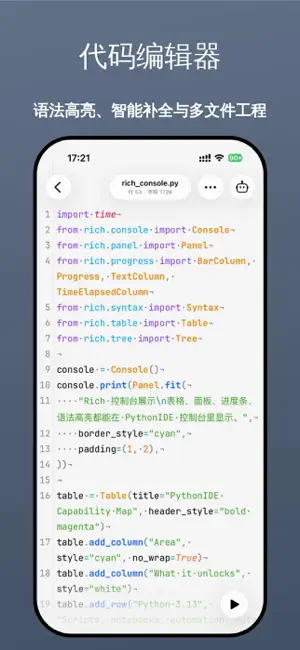
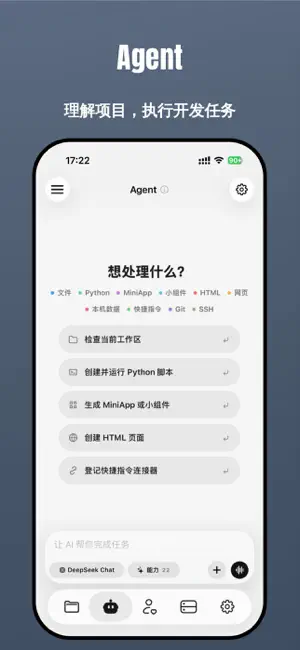
PythonIDE 是一款为 iPhone 和 iPad 打造的移动编程工作台。你可以在设备上本地运行 Python 3.13 与 JavaScript,随时编写代码、查看结果、管理文件,并连接远程服务器完成真实开发任务。 无论你是在学习编程、调试接口、处理数据、编写自动化脚本,还是需要随时管理服务器,PythonIDE 都能把代码编辑、脚本运行、SSH 终端、文件传输、AI 辅助和开发者工具整合到一个 App 里。 主要功能: 本地运行 Python 3.13,支持交互式输入输出,并内置 NumPy、Pillow、requests、pandas 等常用库 运行 JavaScript,支持 console、fetch、localStorage、alert、confirm、prompt 等常用能力 代码编辑器支持 Python、JavaScript、HTML、CSS、JSON、Markdown 语法高亮 文件管理支持多层级文件夹、创建、重命名、移动、复制、删除和回收站恢复 HTML 预览支持相对路径资源、弹窗与 console 输出桥接 Scene 画布与 UI 模块可用于图形、动画、小游戏和交互式界面原型 分屏模式可边写代码边查看控制台结果,支持彩色输出、ANSI 和 Rich 表格/进度条 SSH 终端、SFTP 文件管理、服务器状态…
App details
What you can learn from Python IDE
Every shipping app on the App Store has gone through the same decisions you're working through right now: which screenshot goes first, what caption sits over it, which device frame to show, what color the background should be. The 6 screenshots above are Python IDE's answers to those questions — they're public, they're real, and they made it through Apple's review.
Notice the first screenshot in particular. It's the one users see in search results and on the product page, and it's where most apps spend their best caption and tightest design. Look at the proportion of background to phone, where the text sits, what one thing the image is trying to communicate.
Want to see how other Developer Tools apps approach the same problem? Browse more Developer Tools apps in the showcase.
Take what works into your own screenshots
Open LaunchShots and design your App Store & Google Play screenshots — pick a device frame, drop captions, ship in minutes. Free, in your browser.
Open the screenshot editor →