Screenshots

Icon palette
About this app
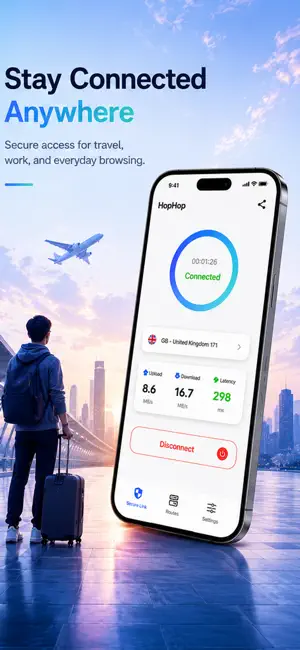
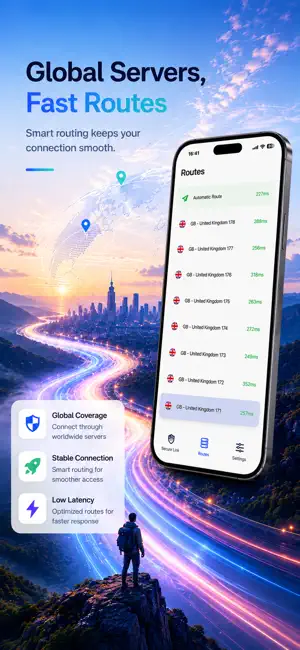
Hop VPN is a simple and easy-to-use iOS VPN app that provides one-click connection protection to keep your network traffic private and secure. No registration required, no browsing logs, ready to use instantly. Key Features One-Click VPN Connection * Simple Operation: Quickly connect/disconnect VPN with a single tap * Visual Status: Dynamic protection orb shows connection status and duration * Smart Reconnection: Automatically reconnects after network interruptions * Disconnect Confirmation: Confirmation prompt prevents accidental disconnection Global Route Selection * Multiple Regions: Proxy servers available in various countries and regions * Real-time Latency Test: Automatically tests node latency and recommends optimal routes * Manual Switching: Freely choose proxy nodes from different regions * Latency Display: Shows latency for each node with color-coded indicators * Auto Test: Au…
App details
What you can learn from Hop VPN - Fast VPN Proxy
Every shipping app on the App Store has gone through the same decisions you're working through right now: which screenshot goes first, what caption sits over it, which device frame to show, what color the background should be. The 3 screenshots above are Hop VPN - Fast VPN Proxy's answers to those questions — they're public, they're real, and they made it through Apple's review.
Notice the first screenshot in particular. It's the one users see in search results and on the product page, and it's where most apps spend their best caption and tightest design. Look at the proportion of background to phone, where the text sits, what one thing the image is trying to communicate.
Want to see how other Developer Tools apps approach the same problem? Browse more Developer Tools apps in the showcase.
Take what works into your own screenshots
Open LaunchShots and design your App Store & Google Play screenshots — pick a device frame, drop captions, ship in minutes. Free, in your browser.
Open the screenshot editor →