Screenshots




Icon palette
About this app
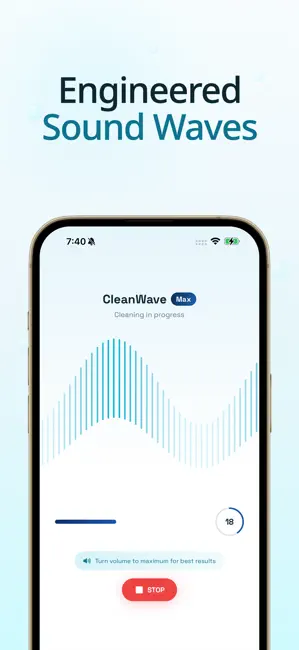
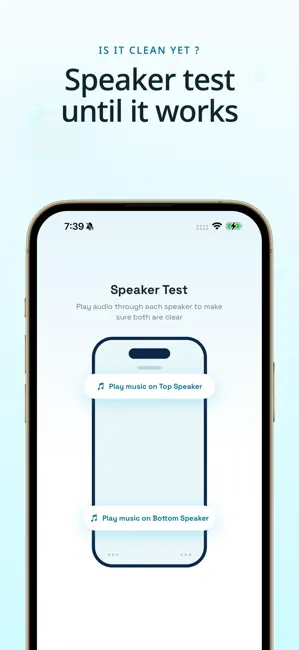
Clean your phone speakers with sound, no tools needed. Water, dust, and grime get trapped in your speaker grille and muffle every call, song, and alarm. CleanWave sends precise sound waves and gentle vibration through the speaker to push moisture and debris out from the inside. No cotton buds, no toothpicks, no repair shop. One tap to start. No menus to dig through. Just smart frequency presets that target water and dust so your audio comes back clear, full, and loud. Restore crystal clear audio +++ +++ +++ +++ +++ +++ A muffled speaker after the rain, a swim, a workout, or a spill can ruin everything you listen to. CleanWave brings your sound back fast by vibrating the speaker until trapped water beads up and slides out. Whether your speaker sounds quiet, crackly, or muffled, CleanWave gets it clear again in seconds. Key features +++ +++ +++ +++ +++ +++ • CleanWave includes ever…
App details
What you can learn from CleanWave: Water Eject
Every shipping app on the App Store has gone through the same decisions you're working through right now: which screenshot goes first, what caption sits over it, which device frame to show, what color the background should be. The 6 screenshots above are CleanWave: Water Eject's answers to those questions — they're public, they're real, and they made it through Apple's review.
Notice the first screenshot in particular. It's the one users see in search results and on the product page, and it's where most apps spend their best caption and tightest design. Look at the proportion of background to phone, where the text sits, what one thing the image is trying to communicate.
Want to see how other Music apps approach the same problem? Browse more Music apps in the showcase.
Take what works into your own screenshots
Open LaunchShots and design your App Store & Google Play screenshots — pick a device frame, drop captions, ship in minutes. Free, in your browser.
Open the screenshot editor →