Screenshots


Icon palette
About this app
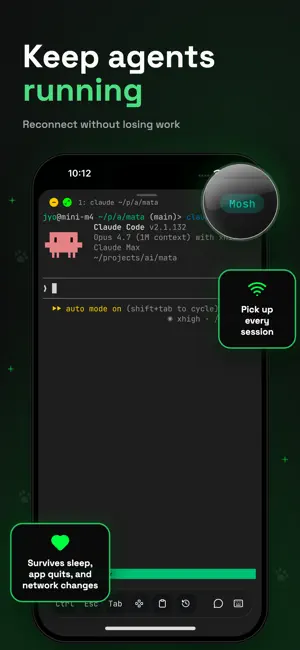
A mobile terminal designed for AI coding agents. Your coding agent runs on a server — you're not always at your desk. Moshi bridges that gap. BUILT FOR AI AGENTS Check on Claude Code from the couch. Nudge Codex from the coffee shop. Monitor Cursor, Windsurf, Copilot, or Aider from anywhere. Your agent doesn't sleep, and now neither does your access to it. TALK, DON'T TYPE Voice-to-terminal with on-device AI. Command your agent hands-free using Whisper speech recognition. No cloud, no latency — everything runs locally on your device. NEVER DROPS Powered by the Mosh protocol that survives network switches, sleep mode, and subway tunnels. Your session stays alive no matter what. GET NOTIFIED Webhook alerts when tasks complete. Start a long-running job, pocket your phone, and live your life. Get a push notification when it's done. FACE ID FOR SSH KEYS Biometric unlock for your SSH keys…
App details
What you can learn from Moshi: SSH & MOSH Terminal
Every shipping app on the App Store has gone through the same decisions you're working through right now: which screenshot goes first, what caption sits over it, which device frame to show, what color the background should be. The 4 screenshots above are Moshi: SSH & MOSH Terminal's answers to those questions — they're public, they're real, and they made it through Apple's review.
Notice the first screenshot in particular. It's the one users see in search results and on the product page, and it's where most apps spend their best caption and tightest design. Look at the proportion of background to phone, where the text sits, what one thing the image is trying to communicate.
Want to see how other Developer Tools apps approach the same problem? Browse more Developer Tools apps in the showcase.
Take what works into your own screenshots
Open LaunchShots and design your App Store & Google Play screenshots — pick a device frame, drop captions, ship in minutes. Free, in your browser.
Open the screenshot editor →