Screenshots



Icon palette
About this app
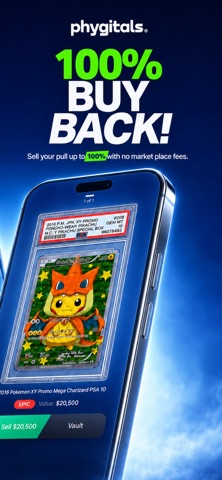
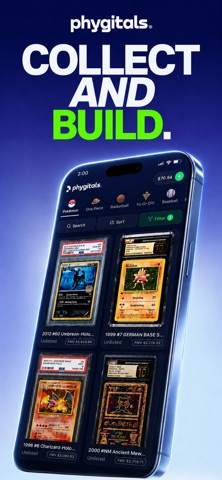
Phygitals is the mobile companion for physical-backed digital trading cards. Every card on Phygitals is backed 1:1 by a real, professionally graded physical card held safely in our vault. Rip packs, build your collection, and cash out anytime — all from your phone. Built for collectors who want the speed of digital with the authenticity of physical. RIP PACKS, PULL REAL CARDS • Open digital packs and reveal real graded trading cards • See full odds and the chase cards inside before you buy • Pack tiers visually ranked from entry to top-tier • Adjustable risk levels on supported packs — pick the spice you want WHAT YOU CAN COLLECT • Pokémon TCG (primary focus) • Plus a growing catalog across sports and anime trading cards • Every card professionally graded by PSA, CGC, Beckett, or other trusted graders BUYBACK GUARANTEE • Don't want a card you pulled? Sell it back instantly • Accept …
App details
What you can learn from Phygitals: Rip TCG Packs
Every shipping app on the App Store has gone through the same decisions you're working through right now: which screenshot goes first, what caption sits over it, which device frame to show, what color the background should be. The 5 screenshots above are Phygitals: Rip TCG Packs's answers to those questions — they're public, they're real, and they made it through Apple's review.
Notice the first screenshot in particular. It's the one users see in search results and on the product page, and it's where most apps spend their best caption and tightest design. Look at the proportion of background to phone, where the text sits, what one thing the image is trying to communicate.
Want to see how other Games apps approach the same problem? Browse more Games apps in the showcase.
Take what works into your own screenshots
Open LaunchShots and design your App Store & Google Play screenshots — pick a device frame, drop captions, ship in minutes. Free, in your browser.
Open the screenshot editor →