Screenshots



iPad screenshots

Icon palette
About this app
Join 100,000+ creators and trusted brands boosting their reach through performance-driven collaboration. Empowering creators to earn from their influence. Turn your content into income – in just three simple steps. 1. Discover Brands and choose products to promote 2. Create your trackable link 3. Share the link - Earn with Every Click Why Creators Choose Metapic 1. Europe’s Largest Brand Selection Discover top fashion, lifestyle, beauty, electronics, home & living brands, all in one place 2. Performance-Based Payouts and Product Gifting The better you perform, the higher your commission gets. Guaranteed 3. 1:1 Campaign Support You're never alone – a dedicated expert supports you throughout every campaign 4. All Major Social Platforms Earn with Instagram, TikTok, YouTube, Snapchat & more – wherever you create 5. Smart Link-in-Bio Boost clicks & track performance with your free creator …
App details
What you can learn from Metapic
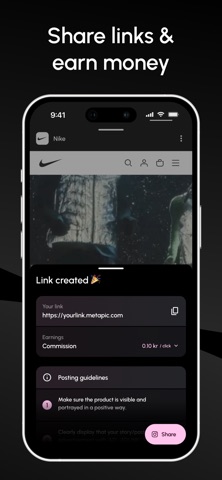
Every shipping app on the App Store has gone through the same decisions you're working through right now: which screenshot goes first, what caption sits over it, which device frame to show, what color the background should be. The 5 screenshots above are Metapic's answers to those questions — they're public, they're real, and they made it through Apple's review.
Notice the first screenshot in particular. It's the one users see in search results and on the product page, and it's where most apps spend their best caption and tightest design. Look at the proportion of background to phone, where the text sits, what one thing the image is trying to communicate.
Want to see how other Business apps approach the same problem? Browse more Business apps in the showcase.
Take what works into your own screenshots
Open LaunchShots and design your App Store & Google Play screenshots — pick a device frame, drop captions, ship in minutes. Free, in your browser.
Open the screenshot editor →