Screenshots


Icon palette
About this app
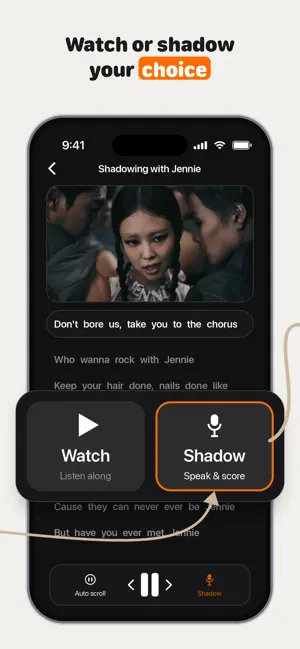
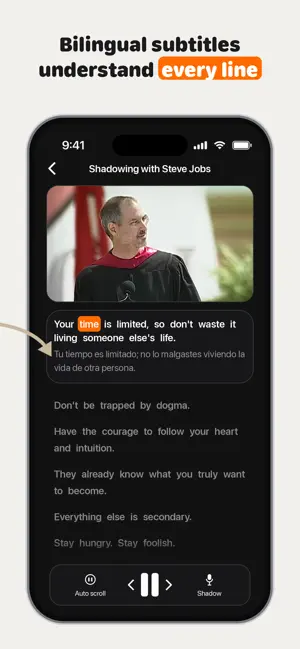
Understand English but freeze the moment you have to speak? That's the passive-vocabulary gap — and shadowing is how you close it. Shadowing · real YouTube videos · instant speech scoring — finally speak the words you already know. From Steve Jobs speeches to Friends, TED talks to JENNIE — turn the videos you already love into speaking practice. The same method used by professional interpreters, just 5 minutes a day. THE LOOP: LISTEN → REPEAT → SCORE 1. Pick a real video you love 2. Listen to a short segment 3. Repeat it out loud 4. See your pronunciation score — try again until you nail it WHY SHADOWING WORKS Shadowing trains your mouth to produce the sounds you already understand — the way interpreters at the UN build fluency. It works at every level. WHY SPEAKFOX • Real YouTube, not textbooks — real accents, real context, not scripted audio • Instant speech scoring — feedback on…
App details
What you can learn from SpeakFox: Shadowing English
Every shipping app on the App Store has gone through the same decisions you're working through right now: which screenshot goes first, what caption sits over it, which device frame to show, what color the background should be. The 4 screenshots above are SpeakFox: Shadowing English's answers to those questions — they're public, they're real, and they made it through Apple's review.
Notice the first screenshot in particular. It's the one users see in search results and on the product page, and it's where most apps spend their best caption and tightest design. Look at the proportion of background to phone, where the text sits, what one thing the image is trying to communicate.
Want to see how other Education apps approach the same problem? Browse more Education apps in the showcase.
Take what works into your own screenshots
Open LaunchShots and design your App Store & Google Play screenshots — pick a device frame, drop captions, ship in minutes. Free, in your browser.
Open the screenshot editor →