Chart position — tracked daily by LaunchShots
Screenshot changes — detected by LaunchShots
Screenshot style breakdown
Sampled from 3 of 新速加速器 - 电商远程办公软件开发网络优化必备工具's App Store screenshots — background, accent and theme, measured by LaunchShots (not something Apple publishes).
#1C2C44 bg
#3B495E
#3CBCFC accent
#FFFFFF text
Screenshots


iPad screenshots


Icon palette
About this app
Zefly加速器 - 一款无需配置、开箱即用的专业网络加速工具,支持多设备多线路多通道。 主要功能 专注解决电商、教育、办公、开发者遇到的网络慢、连不上、老掉线的问题。 商务电商教育:提供专业低延迟线路,多专线多高速线路。 企业级安全:采用加密协议,不记录用户日志,保障数据与隐私。 技术支持:support@zefly.net 相关协议 用户条款:https://zefly.net/FWTKCN.html 隐私协议:https://zefly.net/YSXYCN.html 自动续费协议:https://zefly.net/ARCN.html
App details
What you can learn from 新速加速器 - 电商远程办公软件开发网络优化必备工具
Every shipping app on the App Store has gone through the same decisions you're working through right now: which screenshot goes first, what caption sits over it, which device frame to show, what color the background should be. The 6 screenshots above are 新速加速器 - 电商远程办公软件开发网络优化必备工具's answers to those questions — they're public, they're real, and they made it through Apple's review.
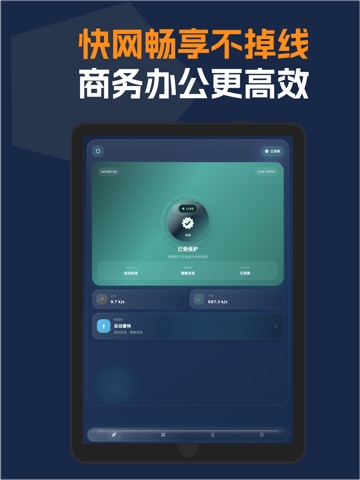
What the numbers say: 新速加速器 - 电商远程办公软件开发网络优化必备工具 runs a dark set with one background colour (#1C2C44) carried across every screenshot — the listing reads as a single poster when the shots sit side by side in search results. The accent colour we picked up, #3CBCFC, is the one to reuse for badges, arrows and highlighted words if you borrow this look. Hit Use this style to open the editor with these exact colours and drop your own screenshot in.
Notice the first screenshot in particular. It's the one users see in search results and on the product page, and it's where most apps spend their best caption and tightest design. Look at the proportion of background to phone, where the text sits, what one thing the image is trying to communicate.
Want to see how other Developer Tools apps approach the same problem? Browse more Developer Tools apps in the showcase.
Take what works into your own screenshots
Open LaunchShots and design your App Store & Google Play screenshots — pick a device frame, drop captions, ship in minutes. Free, in your browser.
Open the screenshot editor →Apps with a similar look
Closest background + accent colours among the listings we've analysed — useful when you want to see the same palette handled by a different team.