Screenshots

Icon palette
About this app
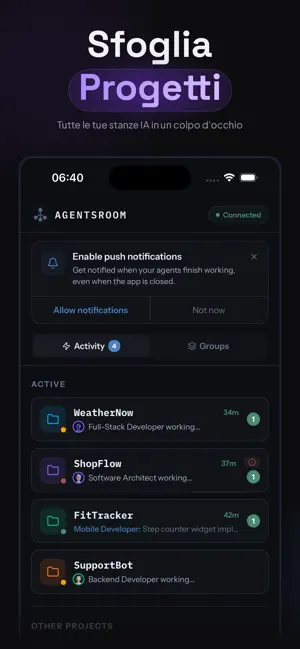
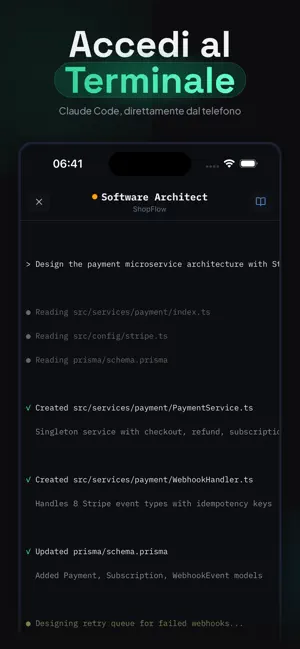
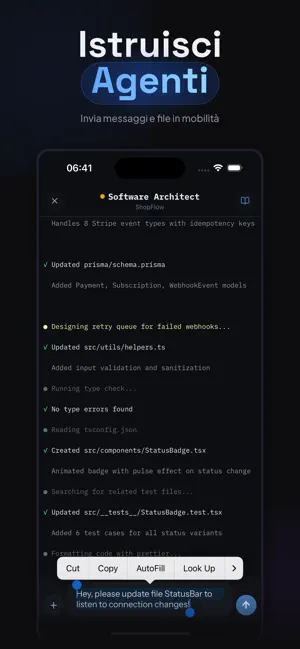
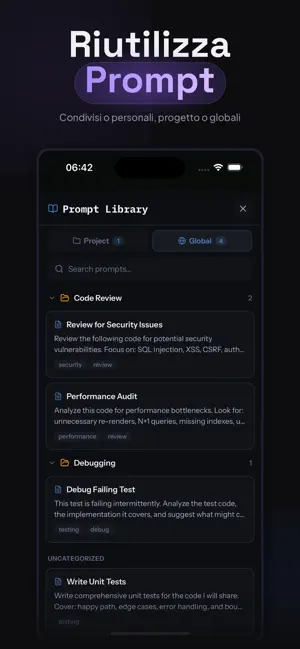
AgentsRoom è il centro di comando mobile per sviluppatori che usano agenti di codifica IA. Monitora Claude Code, Codex, Gemini CLI, OpenCode e Aider in tempo reale. Avvia agenti, invia prompt e gestisci il tuo flusso di lavoro dal telefono. Il tuo desktop esegue gli agenti. Il tuo telefono ti dà il pieno controllo — ovunque, in qualsiasi momento, con crittografia end-to-end. CONTROLLO AGENTI IA MULTI-PROVIDER - Funziona con Claude Code, Codex (OpenAI), Gemini CLI, OpenCode e Aider - Assegna un provider e modello diverso a ogni agente - Cambia provider a metà conversazione senza perdere il contesto MONITORAGGIO AGENTI IN TEMPO REALE - Osserva l'output live del terminale di ogni agente mentre lavora - Stato con codice colore: in pensiero, codifica, completato o bloccato - Più agenti in parallelo su diversi progetti - Tempo trascorso e attività in tempo reale TERMINALE REMOTO E INPUT…
App details
What you can learn from AgentsRoom AI Remote Dev Agent
Every shipping app on the App Store has gone through the same decisions you're working through right now: which screenshot goes first, what caption sits over it, which device frame to show, what color the background should be. The 5 screenshots above are AgentsRoom AI Remote Dev Agent's answers to those questions — they're public, they're real, and they made it through Apple's review.
Notice the first screenshot in particular. It's the one users see in search results and on the product page, and it's where most apps spend their best caption and tightest design. Look at the proportion of background to phone, where the text sits, what one thing the image is trying to communicate.
Want to see how other Developer Tools apps approach the same problem? Browse more Developer Tools apps in the showcase.
Take what works into your own screenshots
Open LaunchShots and design your App Store & Google Play screenshots — pick a device frame, drop captions, ship in minutes. Free, in your browser.
Open the screenshot editor →