Screenshots


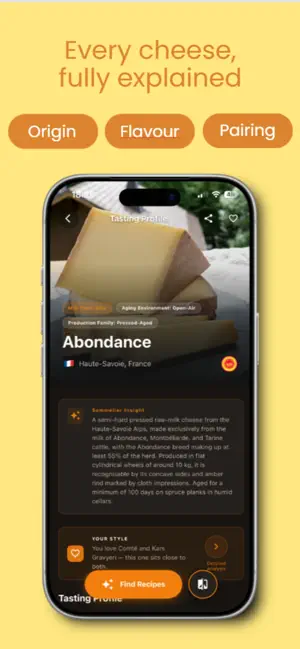


Icon palette
About this app
Cheesepedia is your personal cheese companion — built for curious eaters, home entertainers, and anyone who wants to explore the world of cheese with confidence. DISCOVER & IDENTIFY Point your camera at any cheese and get instant recognition. Cheesepedia matches your photo against a curated catalogue of 275 cheeses, delivering detailed tasting notes, origin stories, texture profiles, and serving suggestions in seconds. EXPLORE THE CATALOGUE Browse an extensive cheese encyclopedia with filters by milk type, country, texture, and intensity. Dive into designation badges, aging details, and storage tips. Every entry is crafted for both casual readers and serious cheese enthusiasts. BUILD YOUR TASTE PROFILE Tell Cheesepedia what you love and it learns your palate. Your personal taste profile powers recommendations tailored to your preferences — from mild and creamy to bold and complex. A…
App details
What you can learn from Cheesepedia
Every shipping app on the App Store has gone through the same decisions you're working through right now: which screenshot goes first, what caption sits over it, which device frame to show, what color the background should be. The 6 screenshots above are Cheesepedia's answers to those questions — they're public, they're real, and they made it through Apple's review.
Notice the first screenshot in particular. It's the one users see in search results and on the product page, and it's where most apps spend their best caption and tightest design. Look at the proportion of background to phone, where the text sits, what one thing the image is trying to communicate.
Want to see how other Food & Drink apps approach the same problem? Browse more Food & Drink apps in the showcase.
Take what works into your own screenshots
Open LaunchShots and design your App Store & Google Play screenshots — pick a device frame, drop captions, ship in minutes. Free, in your browser.
Open the screenshot editor →