Screenshot style breakdown
Sampled from 5 of EksperGPT - AI Oto Analiz's App Store screenshots — background, accent and theme, measured by LaunchShots (not something Apple publishes).
#FCFCFC bg
#DDDDDD
#342484 accent
#111111 text
Screenshots



Icon palette
About this app
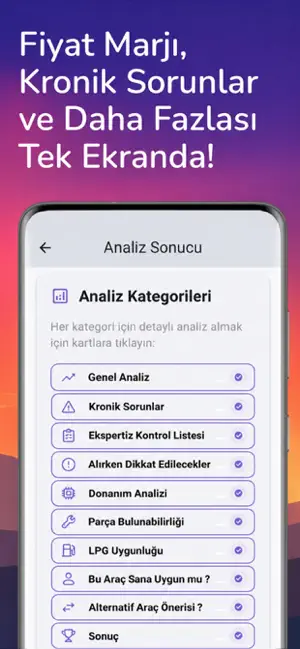
EksperGPT ile Bilinçli Araç Alım-Satımı Yap! Araç alım-satım sürecinde bilgi eksikliği, teknik detayların karmaşıklığı ve piyasa analizine ulaşamama gibi zorluklar yaşanabilir. EksperGPT, bu süreci kolaylaştırmak için tasarlanmış yapay zekâ destekli bir analiz aracıdır. EksperGPT ile Neler Yapabilirsin? Kronik Sorun Bilgilendirmesi: Motor, şanzıman, yürüyen aksam ve elektrik sistemlerinde daha önce sıkça karşılaşılan sorunlar hakkında genel bilgiler edin. -İlan Linki ile Hızlı Sorgulama: İlan linkini yapıştır, sistem ilan içeriğini analiz ederek sana özet ve öneriler sunsun. -İlan Fotoğrafı ile Hızlı Sorgulama: İlan fotoğrafını yükle, sistem ilan içeriğini analiz ederek sana özet ve öneriler sunsun. -Manuel Bilgi Girişi: Araç bilgilerini (model, kilometre, yıl, motor tipi, vites, yakıt türü) girerek kişiselleştirilmiş analiz al. -Satış ve Piyasa Verileri: Aracın piyasadaki genel d…
App details
What you can learn from EksperGPT - AI Oto Analiz
Every shipping app on the App Store has gone through the same decisions you're working through right now: which screenshot goes first, what caption sits over it, which device frame to show, what color the background should be. The 5 screenshots above are EksperGPT - AI Oto Analiz's answers to those questions — they're public, they're real, and they made it through Apple's review.
What the numbers say: EksperGPT - AI Oto Analiz runs a mixed light-and-dark set where the background shifts from screenshot to screenshot (first shot #FCFCFC) — each image has to stand on its own, so the captions carry more of the story. The accent colour we picked up, #342484, is the one to reuse for badges, arrows and highlighted words if you borrow this look. Hit Use this style to open the editor with these exact colours and drop your own screenshot in.
Notice the first screenshot in particular. It's the one users see in search results and on the product page, and it's where most apps spend their best caption and tightest design. Look at the proportion of background to phone, where the text sits, what one thing the image is trying to communicate.
Want to see how other Business apps approach the same problem? Browse more Business apps in the showcase.
Take what works into your own screenshots
Open LaunchShots and design your App Store & Google Play screenshots — pick a device frame, drop captions, ship in minutes. Free, in your browser.
Open the screenshot editor →Apps with a similar look
Closest background + accent colours among the listings we've analysed — useful when you want to see the same palette handled by a different team.