Screenshots


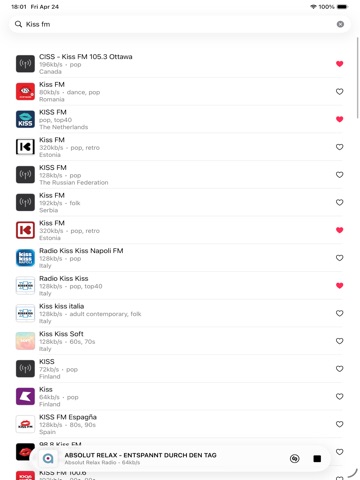
iPad screenshots

Icon palette
About this app
Radio Player — Live Radio from Around the World Radio Player gives you access to around 50,000 radio stations worldwide, making it easy to find music, news, sports, talk shows, and local broadcasts from many countries and regions. Search through thousands of stations, save your favorites, and enjoy quick access whenever you want to listen. Radio Player also supports real-time song information when provided directly by the radio stream, so you can see what is currently playing on supported stations. Whether you are relaxing at home, driving, working, or getting ready to sleep, Radio Player is designed to make listening simple, fast, and convenient. Key Features • Listen to around 50,000 radio stations from around the world • Search stations by name, country, genre, or location • Save your favorite stations for quick access • Sync your favorite stations across devices • Real-time song…
App details
What you can learn from Sveriges Radio Play
Every shipping app on the App Store has gone through the same decisions you're working through right now: which screenshot goes first, what caption sits over it, which device frame to show, what color the background should be. The 5 screenshots above are Sveriges Radio Play's answers to those questions — they're public, they're real, and they made it through Apple's review.
Notice the first screenshot in particular. It's the one users see in search results and on the product page, and it's where most apps spend their best caption and tightest design. Look at the proportion of background to phone, where the text sits, what one thing the image is trying to communicate.
Want to see how other Music apps approach the same problem? Browse more Music apps in the showcase.
Take what works into your own screenshots
Open LaunchShots and design your App Store & Google Play screenshots — pick a device frame, drop captions, ship in minutes. Free, in your browser.
Open the screenshot editor →