Screenshots

Icon palette
About this app
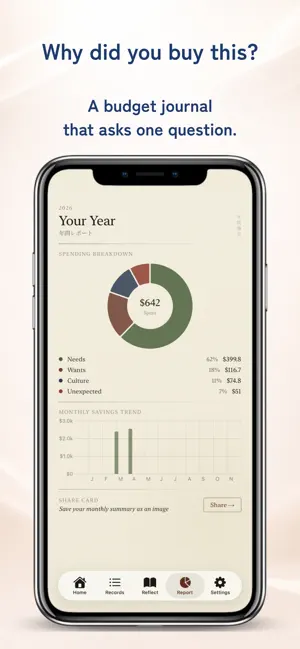
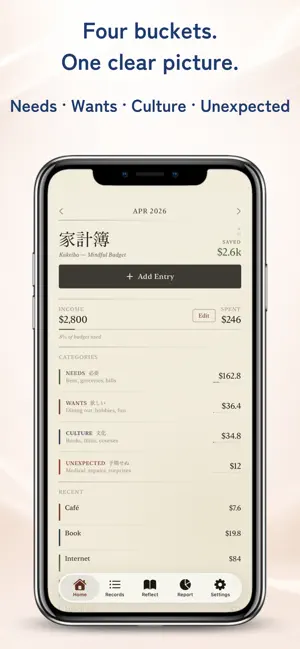
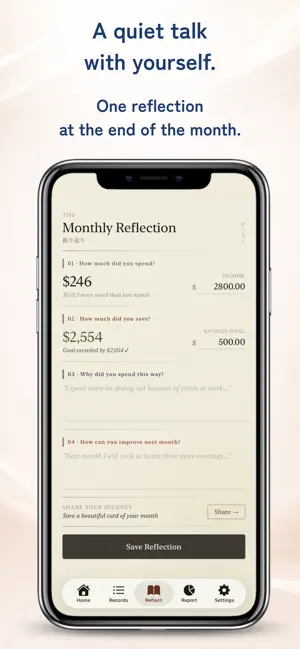
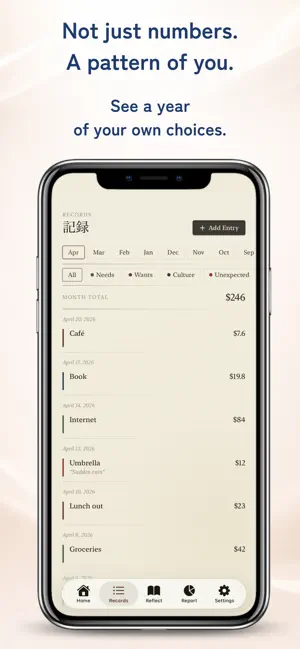
Money is a mirror of how you live. Kakeibo (家計簿) is not an app for counting what you spent. It is a quiet space for asking yourself why you spent it. Born in Japan in 1904, kakeibo is a practice of writing, reflecting, and slowly learning your own patterns. We rebuilt it for the smartphone, in a washi-paper aesthetic, so you can spend a few seconds at the end of each day in a small conversation with yourself. ■ The Kakeibo philosophy Every expense fits into one of four categories: Needs, Wants, Culture, and Unexpected. Rent and groceries are Needs. Coffee and clothes are Wants. Books and concerts are Culture. A flat tire is Unexpected. Sorting your spending into these four buckets reveals, gently and over time, what kind of person your money describes. And there is one more thing. Each entry asks you a single question: "Why did you buy this?" That question is the heart of kak…
App details
What you can learn from Kakeibo - Mindful Money Diary
Every shipping app on the App Store has gone through the same decisions you're working through right now: which screenshot goes first, what caption sits over it, which device frame to show, what color the background should be. The 5 screenshots above are Kakeibo - Mindful Money Diary's answers to those questions — they're public, they're real, and they made it through Apple's review.
Notice the first screenshot in particular. It's the one users see in search results and on the product page, and it's where most apps spend their best caption and tightest design. Look at the proportion of background to phone, where the text sits, what one thing the image is trying to communicate.
Want to see how other Lifestyle apps approach the same problem? Browse more Lifestyle apps in the showcase.
Take what works into your own screenshots
Open LaunchShots and design your App Store & Google Play screenshots — pick a device frame, drop captions, ship in minutes. Free, in your browser.
Open the screenshot editor →