Chart position — tracked daily by LaunchShots
Screenshot style breakdown
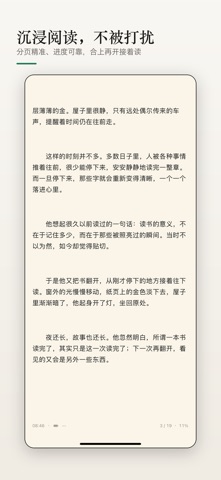
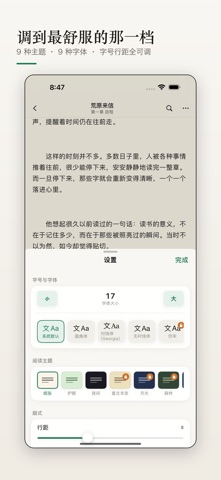
Sampled from 5 of 青页小说阅读器·TXT/EPUB/MD's App Store screenshots — background, accent and theme, measured by LaunchShots (not something Apple publishes).
#F4F4F4 bg
#D6D6D6
#9454B4 accent
#111111 text
Screenshots



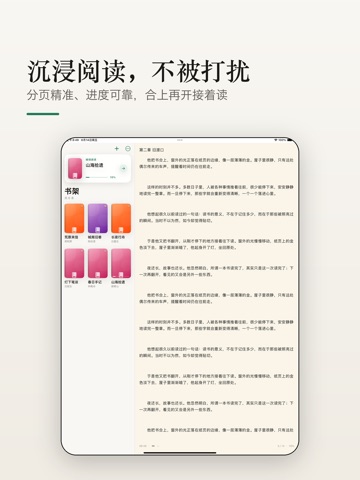
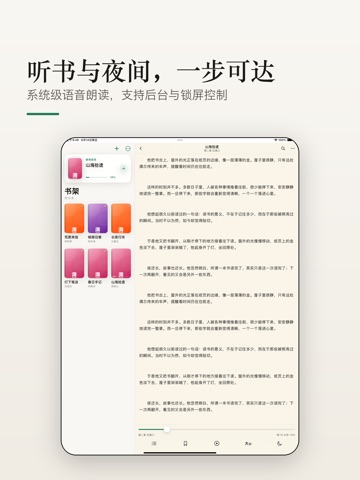
iPad screenshots



Icon palette
About this app
青页小说阅读器是一款专注、纯净的本地阅读器,把你收藏的电子书变成舒适的阅读体验。无需联网、无广告打扰,导入文件即可随时随地畅读。 【支持多种格式】 • TXT 纯文本,自动识别编码,海量长篇也能秒开 • EPUB 电子书,保留章节目录与排版 • Markdown(.md)文档,按标题自动分章 【听书朗读】 • 内置语音朗读,自动选择合适的声音,解放双眼 • 可调节朗读语速,支持定时停止,睡前听书不费电 • 朗读时同步高亮当前语句,并自动翻页 【沉浸阅读】 • 多种翻页方式:仿真、滑动、上下滚动、淡入等(部分为 Pro) • 日间 / 夜间 / 护眼多主题,可调亮度,长时间阅读更护眼 • 丰富字体与字号、行间距、段间距、页边距自由调整 • iPad 支持双栏阅读,平板大屏更高效 【贴心功能】 • 自动记忆阅读进度,随时续读,绝不丢页 • 章节目录快速跳转,全文搜索定位 • 书签收藏、文字高亮与笔记标注(分类与导出为 Pro) • 阅读时长与字数统计,量化你的阅读习惯 • 桌面小组件,一眼看到正在读的书与进度 【隐私优先】 • 完全离线,书籍只存在你的设备上 • 不收集阅读内容…
App details
What you can learn from 青页小说阅读器·TXT/EPUB/MD
Every shipping app on the App Store has gone through the same decisions you're working through right now: which screenshot goes first, what caption sits over it, which device frame to show, what color the background should be. The 10 screenshots above are 青页小说阅读器·TXT/EPUB/MD's answers to those questions — they're public, they're real, and they made it through Apple's review.
What the numbers say: 青页小说阅读器·TXT/EPUB/MD runs a light set with one background colour (#F4F4F4) carried across every screenshot — the listing reads as a single poster when the shots sit side by side in search results. The accent colour we picked up, #9454B4, is the one to reuse for badges, arrows and highlighted words if you borrow this look. Hit Use this style to open the editor with these exact colours and drop your own screenshot in.
Notice the first screenshot in particular. It's the one users see in search results and on the product page, and it's where most apps spend their best caption and tightest design. Look at the proportion of background to phone, where the text sits, what one thing the image is trying to communicate.
Want to see how other Book apps approach the same problem? Browse more Book apps in the showcase.
Take what works into your own screenshots
Open LaunchShots and design your App Store & Google Play screenshots — pick a device frame, drop captions, ship in minutes. Free, in your browser.
Open the screenshot editor →Apps with a similar look
Closest background + accent colours among the listings we've analysed — useful when you want to see the same palette handled by a different team.