Screenshots


Icon palette
About this app
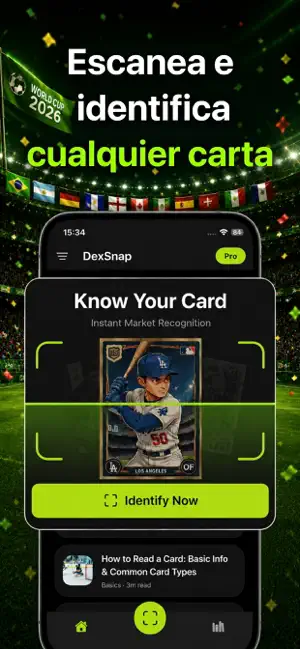
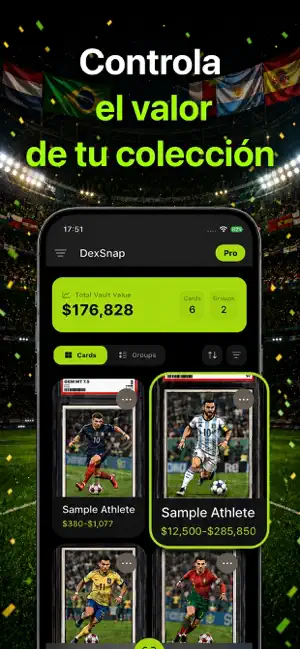
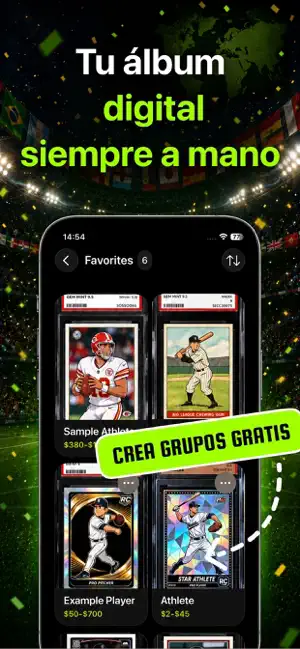
DexSnap: Escáner de Tarjetas Deportivas con IA Identifique. Valorice. Rastree. Todo en un solo escaneo. ¿Cansado de buscar manualmente? DexSnap es la herramienta de escaneo de alto rendimiento diseñada para coleccionistas serios. Mediante el reconocimiento de imágenes por IA, convertimos tus tarjetas físicas en una cartera digital dinámica en milisegundos. ◆ CARACTERÍSTICAS PRINCIPALES ◆ 1. RECONOCIMIENTO INSTANTÁNEO POR IA Deja de escribir y empieza a escanear. Nuestro motor identifica al instante tarjetas de Béisbol, Baloncesto, Fútbol Americano, Fútbol y Hockey. Reconoce jugador, deporte, año de emisión, serie y atributos especiales como paralelas o tiradas cortas. 2. ANÁLISIS DE MERCADO Obtén estimaciones de precio basadas en ventas recientes y tendencias del mercado. Descubre rápidamente si tu tarjeta es una pieza de colección común o una valiosa rareza antes de comprar o vend…
App details
What you can learn from DexSnap: Escáner Sports Card
Every shipping app on the App Store has gone through the same decisions you're working through right now: which screenshot goes first, what caption sits over it, which device frame to show, what color the background should be. The 5 screenshots above are DexSnap: Escáner Sports Card's answers to those questions — they're public, they're real, and they made it through Apple's review.
Notice the first screenshot in particular. It's the one users see in search results and on the product page, and it's where most apps spend their best caption and tightest design. Look at the proportion of background to phone, where the text sits, what one thing the image is trying to communicate.
Want to see how other Reference apps approach the same problem? Browse more Reference apps in the showcase.
Take what works into your own screenshots
Open LaunchShots and design your App Store & Google Play screenshots — pick a device frame, drop captions, ship in minutes. Free, in your browser.
Open the screenshot editor →