Screenshots


Icon palette
About this app
Faça video chat com pessoas novas e transforme conversas em conexões de verdade! O Herói é um app social onde pessoas reais se conhecem por meio de mensagens e video chat 1 a 1. Encontre alguém interessante, quebre o gelo e conversem cara a cara em uma videochamada ao vivo — a qualquer hora, em qualquer lugar. Por que o Herói? • Uma comunidade de pessoas reais O Herói conecta você a pessoas novas que buscam conversas de verdade. Cada papo é uma chance de ouvir uma nova história, dar boas risadas e começar uma nova amizade. • Video chat ao vivo 1 a 1 Aproveite videochamadas privadas em tempo real com quem você mais gostar. Veja as expressões, ouça a voz e viva o momento junto — com o video chat, a distância desaparece. • Comece com uma mensagem Prefere ir com calma? Mande uma mensagem primeiro, deixe a conversa fluir no seu ritmo e passe para o video chat quando os dois quiserem — e…
App details
What you can learn from Herói: Chat de Video Online
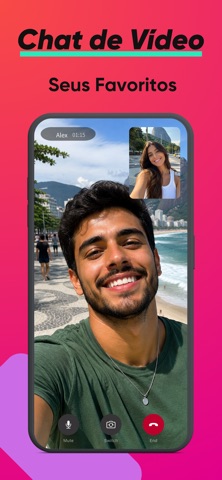
Every shipping app on the App Store has gone through the same decisions you're working through right now: which screenshot goes first, what caption sits over it, which device frame to show, what color the background should be. The 6 screenshots above are Herói: Chat de Video Online's answers to those questions — they're public, they're real, and they made it through Apple's review.
Notice the first screenshot in particular. It's the one users see in search results and on the product page, and it's where most apps spend their best caption and tightest design. Look at the proportion of background to phone, where the text sits, what one thing the image is trying to communicate.
Want to see how other Social Networking apps approach the same problem? Browse more Social Networking apps in the showcase.
Take what works into your own screenshots
Open LaunchShots and design your App Store & Google Play screenshots — pick a device frame, drop captions, ship in minutes. Free, in your browser.
Open the screenshot editor →