Screenshots


Icon palette
About this app
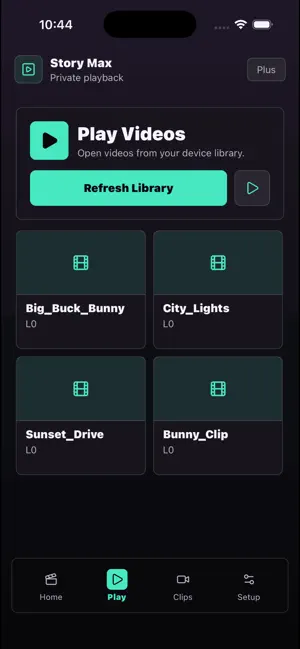
Story Max is a calm, private video player built for quiet, focused viewing — no clutter, no account required. SCAN & PLAY YOUR LIBRARY Story Max scans your device for videos and gets them ready to play in one tap. See your video count, favorites, and saved items at a glance from a simple home dashboard. PLAY ANY VIDEO LINK Paste a stream or video URL directly into the player and watch instantly, alongside your local library. CLIPS & FAVORITES Browse your videos as clips, mark favorites, and keep the ones you care about close at hand. ORGANIZE WITH FOLDERS Automatically group your videos into folders so your library stays tidy without any manual sorting. YOUR PRIVATE VAULT Save links and notes to a personal vault, then copy or share them whenever you need. MULTI-LANGUAGE SUPPORT Story Max is available in English, German, Spanish, French, Portuguese, Dutch, Chinese, Japanese, Hindi,…
App details
What you can learn from Story Pro Max
Every shipping app on the App Store has gone through the same decisions you're working through right now: which screenshot goes first, what caption sits over it, which device frame to show, what color the background should be. The 5 screenshots above are Story Pro Max's answers to those questions — they're public, they're real, and they made it through Apple's review.
Notice the first screenshot in particular. It's the one users see in search results and on the product page, and it's where most apps spend their best caption and tightest design. Look at the proportion of background to phone, where the text sits, what one thing the image is trying to communicate.
Want to see how other Entertainment apps approach the same problem? Browse more Entertainment apps in the showcase.
Take what works into your own screenshots
Open LaunchShots and design your App Store & Google Play screenshots — pick a device frame, drop captions, ship in minutes. Free, in your browser.
Open the screenshot editor →