Screenshots


Icon palette
About this app
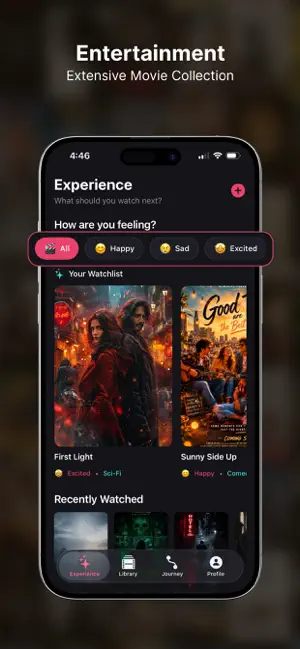
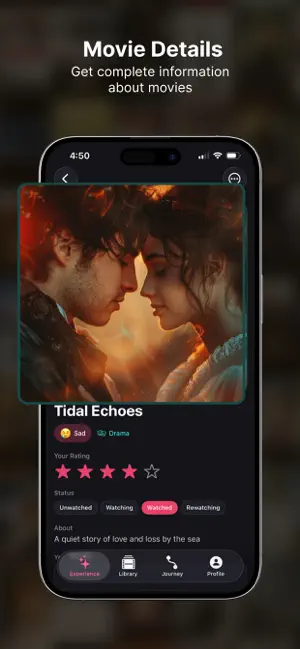
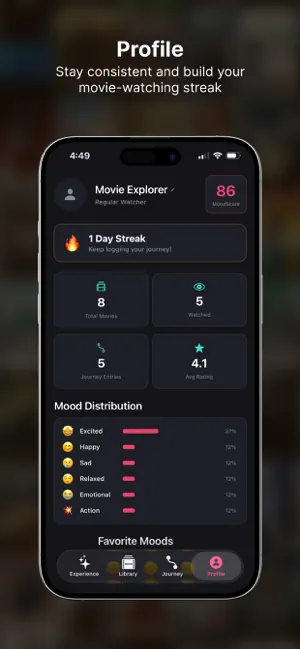
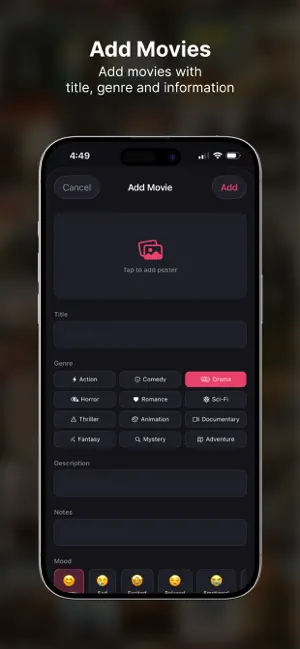
What if your movie library understood how you feel? HDMovi 2026 isn't another watchlist. It's a cinematic journal designed around your emotions — pick movies by mood, track how films change the way you feel, and uncover hidden patterns in your taste. YOUR MOOD COMES FIRST Feeling excited? Sad? Need to relax? Browse your personal collection filtered by emotion — not just genre. Every movie you add carries a mood tag, so your library becomes a reflection of you. BEFORE & AFTER MOOD TRACKING Log how you felt before pressing play and after the credits roll. Over time, see which genres lift you up, which ones make you think, and how your emotional relationship with cinema evolves. MOODSCORE — YOUR CINEMA IDENTITY A single number that captures your movie journey. Watch more, rate honestly, journal your experiences — and watch your MoodScore grow. Unlock achievements along the way. MOOD S…
App details
What you can learn from HDMovi 2026
Every shipping app on the App Store has gone through the same decisions you're working through right now: which screenshot goes first, what caption sits over it, which device frame to show, what color the background should be. The 6 screenshots above are HDMovi 2026's answers to those questions — they're public, they're real, and they made it through Apple's review.
Notice the first screenshot in particular. It's the one users see in search results and on the product page, and it's where most apps spend their best caption and tightest design. Look at the proportion of background to phone, where the text sits, what one thing the image is trying to communicate.
Want to see how other Entertainment apps approach the same problem? Browse more Entertainment apps in the showcase.
Take what works into your own screenshots
Open LaunchShots and design your App Store & Google Play screenshots — pick a device frame, drop captions, ship in minutes. Free, in your browser.
Open the screenshot editor →