Screenshots
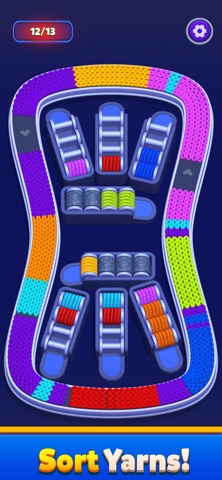


iPad screenshots


Icon palette
About this app
Untangle the yarn. Fill the conveyor. Sort every color perfectly. Welcome to Yarn Flow, a uniquely satisfying puzzle game where colorful yarn rolls move through winding conveyor loops. Tap the yarn spools, release the strands, and carefully guide each color to its matching collection zone. Simple to learn, surprisingly strategic, and incredibly satisfying to master. How to Play - Tap yarn spools to release yarn onto the conveyor - Watch colorful strands flow around the track - Sort matching colors together - Plan your moves carefully to avoid jams and dead ends - Clear all yarn to complete the level Every tap changes the puzzle. The order you choose matters. Why Yarn Flow Feels So Good - Smooth flowing yarn animations - Satisfying sorting and organization gameplay - Easy-to-understand controls - Relaxing visuals and colorful yarn designs - Clever puzzles that reward thoughtful pl…
App details
What you can learn from Yarn Flow
Every shipping app on the App Store has gone through the same decisions you're working through right now: which screenshot goes first, what caption sits over it, which device frame to show, what color the background should be. The 10 screenshots above are Yarn Flow's answers to those questions — they're public, they're real, and they made it through Apple's review.
Notice the first screenshot in particular. It's the one users see in search results and on the product page, and it's where most apps spend their best caption and tightest design. Look at the proportion of background to phone, where the text sits, what one thing the image is trying to communicate.
Want to see how other Games apps approach the same problem? Browse more Games apps in the showcase.
Take what works into your own screenshots
Open LaunchShots and design your App Store & Google Play screenshots — pick a device frame, drop captions, ship in minutes. Free, in your browser.
Open the screenshot editor →