Screenshots


Icon palette
About this app
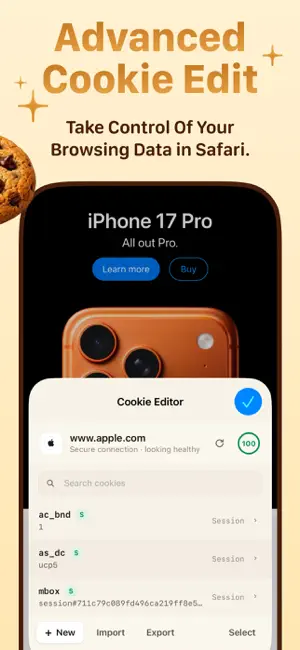
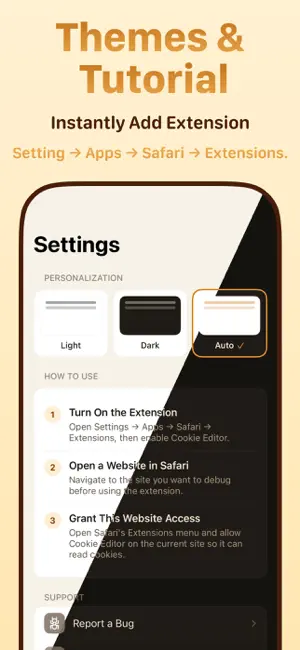
Cookie Editor is designed with a clean, native interface that lets you do every standard cookie operation right from your iPhone, iPad, or Mac. It is ideal for developing and testing web pages, debugging authentication flows, or simply managing your cookies for privacy. Be careful! Do not share your cookies with anyone you do not trust. Cookies can contain very sensitive information like your login session. If you share your cookies with someone, they could gain full access to your account and compromise it. Feature list: - List all cookies for any site you visit in Safari. - Search and filter cookies by name, value, or domain. - Create, edit and delete cookies - full control over name, value, domain, path, expiry, Secure, HttpOnly, SameSite and Priority. - Built-in JWT decoder - view header and payload instantly. - Smart format detection - JWT, Base64, URL-encoded and JSON values rec…
App details
What you can learn from Cookie Editor Safari Extension
Every shipping app on the App Store has gone through the same decisions you're working through right now: which screenshot goes first, what caption sits over it, which device frame to show, what color the background should be. The 4 screenshots above are Cookie Editor Safari Extension's answers to those questions — they're public, they're real, and they made it through Apple's review.
Notice the first screenshot in particular. It's the one users see in search results and on the product page, and it's where most apps spend their best caption and tightest design. Look at the proportion of background to phone, where the text sits, what one thing the image is trying to communicate.
Want to see how other Developer Tools apps approach the same problem? Browse more Developer Tools apps in the showcase.
Take what works into your own screenshots
Open LaunchShots and design your App Store & Google Play screenshots — pick a device frame, drop captions, ship in minutes. Free, in your browser.
Open the screenshot editor →