Screenshots



Icon palette
About this app
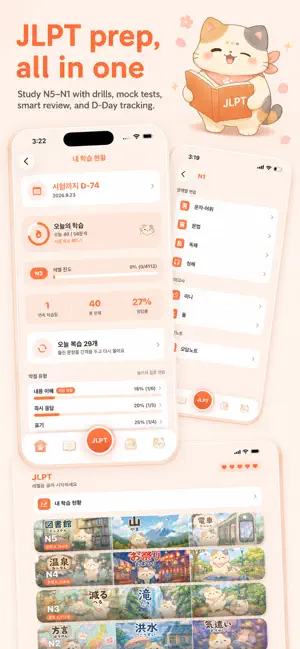
Japanese you can use on your trip—and study with to pass the JLPT. Don’t force yourself to memorize. A little every day, and it will naturally stick. [Japanese You Can Use While Traveling] • Learn useful phrases for cafés, restaurants, stations, and convenience stores. • Get daily Japanese recommendations based on your location and the weather. • Listen to pronunciations and example sentences, then practice speaking naturally. • Learn essential phrases for ordering, paying, asking directions, and more. • Review throughout the day with Home Screen and Lock Screen widgets. [Everything You Need for the JLPT] • Prepare for N5 through N1 with vocabulary, grammar, reading, and listening practice. • Build your listening skills with natural Japanese audio. • Review difficult words before you forget them. • Collect missed questions and focus on your weak points. • Track your progress for ea…
App details
What you can learn from MochiNyan - JLPT & Travel JP
Every shipping app on the App Store has gone through the same decisions you're working through right now: which screenshot goes first, what caption sits over it, which device frame to show, what color the background should be. The 5 screenshots above are MochiNyan - JLPT & Travel JP's answers to those questions — they're public, they're real, and they made it through Apple's review.
Notice the first screenshot in particular. It's the one users see in search results and on the product page, and it's where most apps spend their best caption and tightest design. Look at the proportion of background to phone, where the text sits, what one thing the image is trying to communicate.
Want to see how other Education apps approach the same problem? Browse more Education apps in the showcase.
Take what works into your own screenshots
Open LaunchShots and design your App Store & Google Play screenshots — pick a device frame, drop captions, ship in minutes. Free, in your browser.
Open the screenshot editor →