Screenshots



Icon palette
About this app
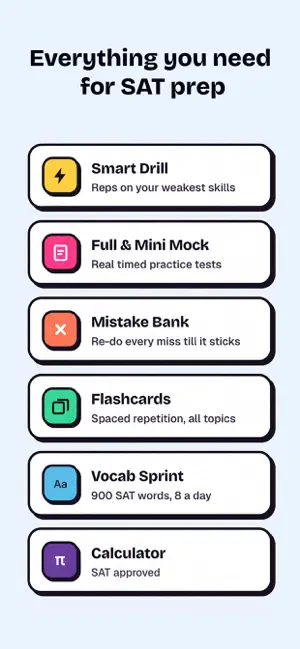
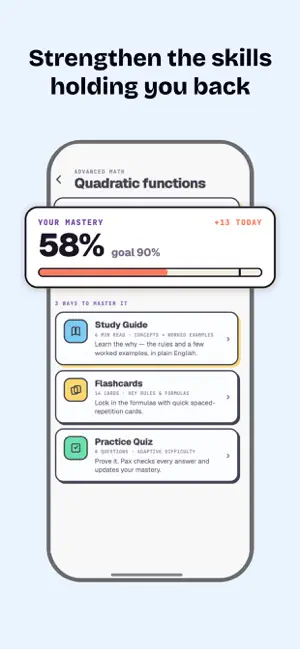
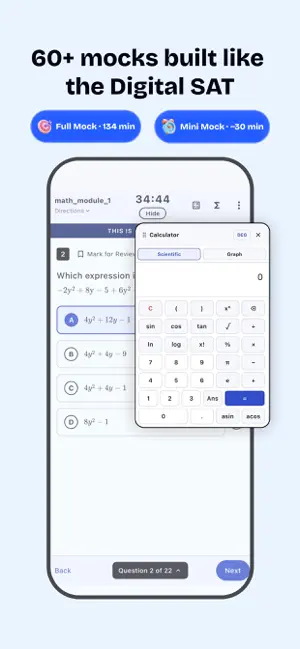
Your #1 AI-powered Digital SAT Prep App for 2026 Prepful is the Digital SAT prep app designed around how students really study — short daily sessions, smart practice, and a study companion (Pax the otter) who's with you every step of the way. No more guessing what to study next. No more wasting time on topics you've already mastered. Prepful diagnoses your weaknesses, builds your plan, and adapts as you improve. WHY STUDENTS CHOOSE PREPFUL - 200+ point average score improvement - Just 25 minutes a day to build real momentum - Adaptive AI practice that targets YOUR weak spots - Built for the 2026 Digital SAT (Bluebook format) - Pax — your AI study buddy who makes prep less lonely - Free to start, no credit card required ► MEET PAX — YOUR PATH TO 1500+ Pax isn't a tutor. Pax is the friend who stays up late studying with you. Ask questions, get encouragement, celebrate streaks together,…
App details
What you can learn from Prepful: SAT Exam Prep
Every shipping app on the App Store has gone through the same decisions you're working through right now: which screenshot goes first, what caption sits over it, which device frame to show, what color the background should be. The 6 screenshots above are Prepful: SAT Exam Prep's answers to those questions — they're public, they're real, and they made it through Apple's review.
Notice the first screenshot in particular. It's the one users see in search results and on the product page, and it's where most apps spend their best caption and tightest design. Look at the proportion of background to phone, where the text sits, what one thing the image is trying to communicate.
Want to see how other Education apps approach the same problem? Browse more Education apps in the showcase.
Take what works into your own screenshots
Open LaunchShots and design your App Store & Google Play screenshots — pick a device frame, drop captions, ship in minutes. Free, in your browser.
Open the screenshot editor →