Screenshots

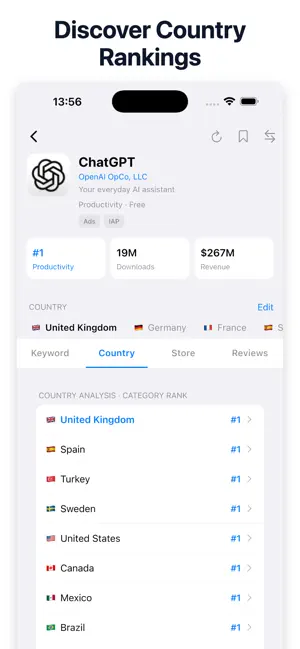

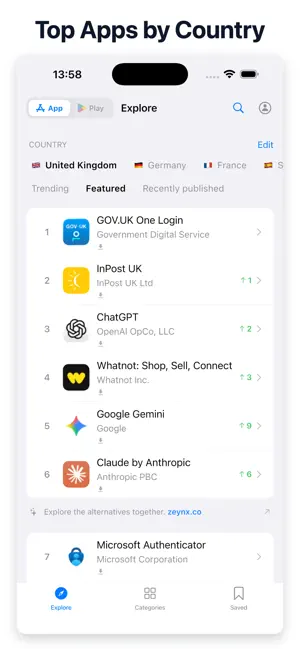

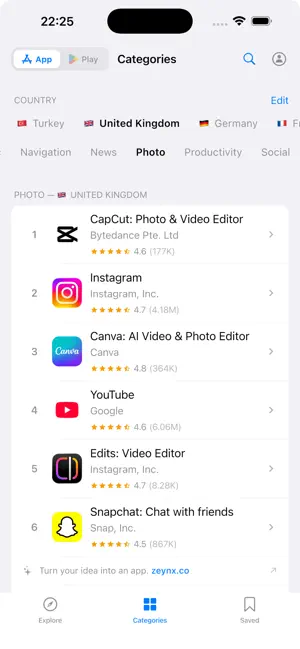
Icon palette
About this app
Unlock your creativity and dive into the world of app development with AppIdea: Market Research. This powerful tool is designed to help you discover innovative app ideas, conduct thorough market research, and analyze keywords effectively. Whether you're a seasoned developer or just starting out, AppIdea provides the insights you need to succeed in the competitive app market. With AppIdea, you can: - Generate unique app ideas tailored to your interests and market trends. - Perform comprehensive keyword analysis to optimize your app's visibility. - Explore market opportunities and identify gaps that your app can fill. - Access valuable data and statistics to inform your development strategy. Stay ahead of the competition by utilizing AppIdea's intuitive features. Our user-friendly interface makes it easy to navigate through various tools and resources, ensuring you can focus on what mat…
App details
What you can learn from AppIdea: Market Research
Every shipping app on the App Store has gone through the same decisions you're working through right now: which screenshot goes first, what caption sits over it, which device frame to show, what color the background should be. The 6 screenshots above are AppIdea: Market Research's answers to those questions — they're public, they're real, and they made it through Apple's review.
Notice the first screenshot in particular. It's the one users see in search results and on the product page, and it's where most apps spend their best caption and tightest design. Look at the proportion of background to phone, where the text sits, what one thing the image is trying to communicate.
Want to see how other Developer Tools apps approach the same problem? Browse more Developer Tools apps in the showcase.
Take what works into your own screenshots
Open LaunchShots and design your App Store & Google Play screenshots — pick a device frame, drop captions, ship in minutes. Free, in your browser.
Open the screenshot editor →