Screenshots
Icon palette
About this app
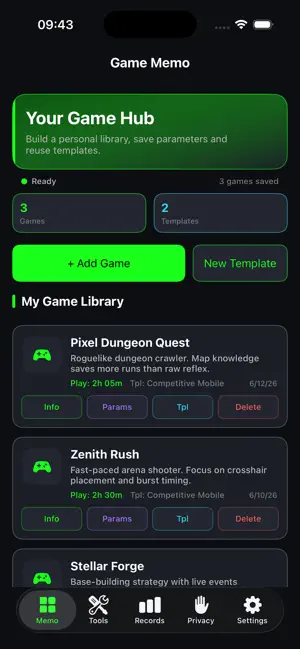
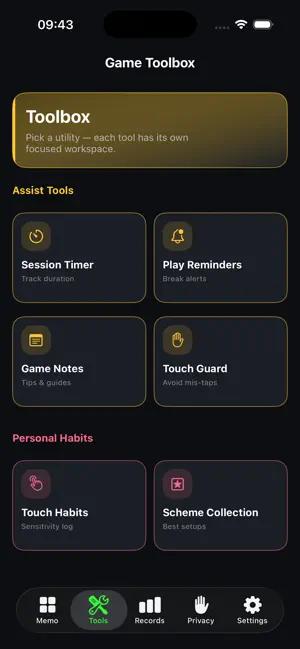
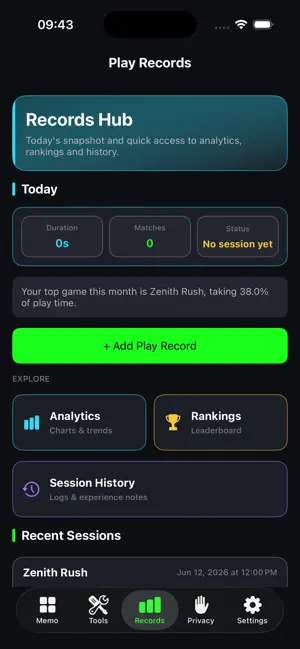
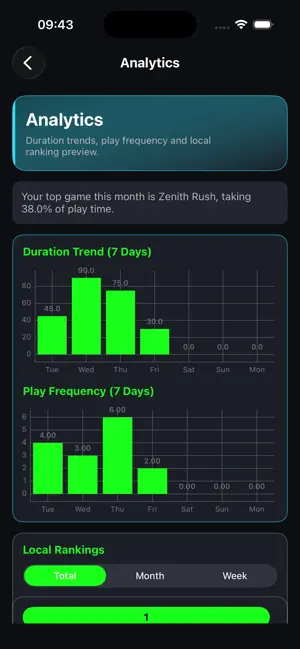
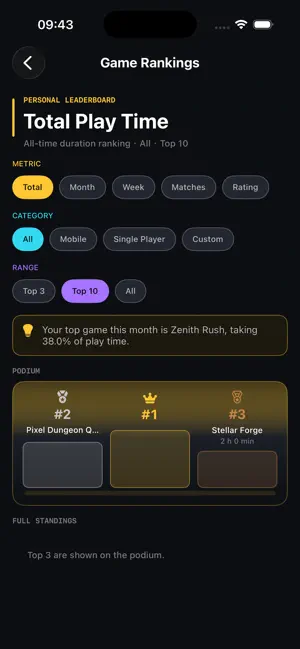
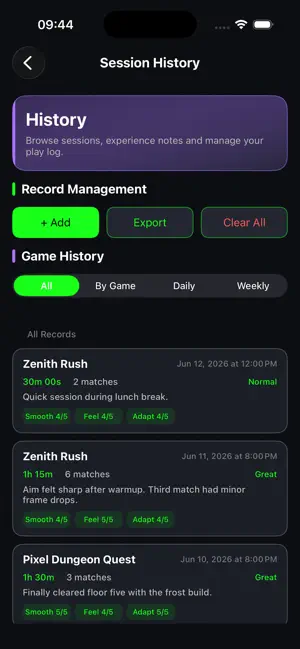
This is a personal game assistant that helps you build a game library on your phone. For each title you can save an icon, notes, and settings for graphics, controls, and performance, and store favorite setups as templates to reuse—so you don’t have to figure everything out from scratch every time. While you play, you can log session length, match count, smoothness, and how the game feels, and jot down notes on each run. Over time you’ll see what you play most, how sessions went, and which games take up the most of your time. Your data rolls up into trends and rankings so you can understand your habits more clearly instead of relying on vague memory. The toolbox includes session timers and break reminders so long stretches don’t slip by unnoticed; game notes for guides, combos, and event tips; touch-habit and loadout collections for sensitivity, key layouts, and winning setups.
App details
What you can learn from Grindfolio
Every shipping app on the App Store has gone through the same decisions you're working through right now: which screenshot goes first, what caption sits over it, which device frame to show, what color the background should be. The 6 screenshots above are Grindfolio's answers to those questions — they're public, they're real, and they made it through Apple's review.
Notice the first screenshot in particular. It's the one users see in search results and on the product page, and it's where most apps spend their best caption and tightest design. Look at the proportion of background to phone, where the text sits, what one thing the image is trying to communicate.
Want to see how other Book apps approach the same problem? Browse more Book apps in the showcase.
Take what works into your own screenshots
Open LaunchShots and design your App Store & Google Play screenshots — pick a device frame, drop captions, ship in minutes. Free, in your browser.
Open the screenshot editor →