Screenshots
Icon palette
About this app
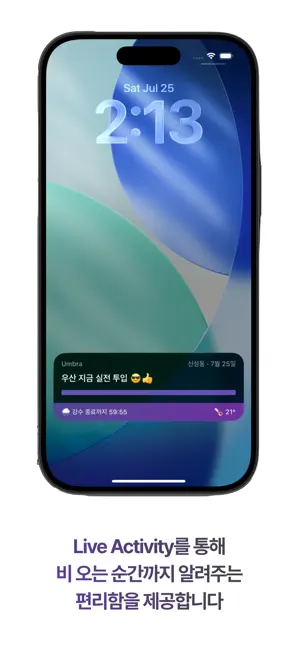
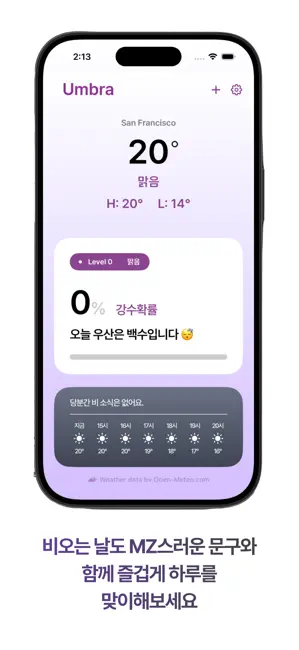
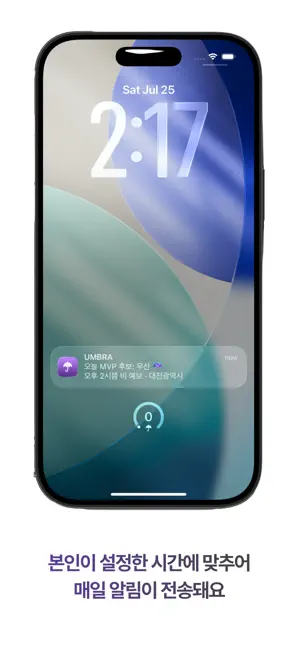
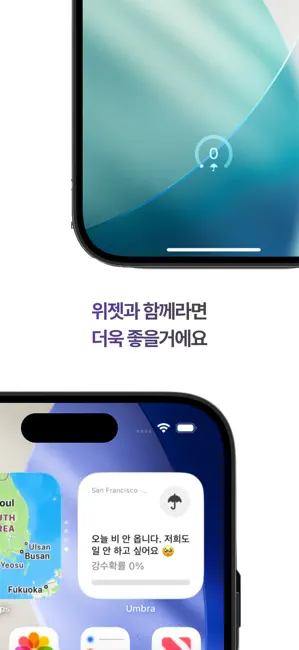
"오늘 우산 챙겨야 해?" 이 질문에 강수확률 60%라고 답하는 앱은 이미 많습니다. 엄브라는 그냥 "챙겨" 또는 "괜찮아"라고 답합니다. ■ 아침에 알림 하나. 그게 전부입니다. 원하는 시각을 정해두면 매일 그 시각에 알림이 옵니다. 앱을 열 필요도, 숫자를 해석할 필요도 없습니다. 잠금화면에 뜬 한 줄만 보고 우산을 들거나 두면 됩니다. ■ 내 동네 딱 한 지점만 봅니다 비는 좁게 옵니다. 넓은 반경을 평균 내면 우리 집에도 회사에도 맞지 않는 애매한 답이 나옵니다. 엄브라는 기상청 5km 격자 중 내가 정한 한 칸만 보고 판단합니다. ■ 앱을 열지 않아도 계속 살아 있습니다 · 잠금화면 알림 — 정해진 시각에 정확히 · 홈·잠금 화면 위젯 — 굳이 열지 않아도 한눈에 · 라이브 액티비티 / 다이내믹 아일랜드 — 비 오는 날, 진행 상황이 실시간으로 ■ 다른 동네도 확인할 수 있습니다 "오늘 부산 가는데 비 와?" 검색해서 바로 확인하고, 자주 가는 곳은 즐겨찾기에 둘 수 있습니다. 아침 알림 기준은 설정에서 직접 바꿀 때만 바뀝니다. 출장을 가도,…
App details
What you can learn from 엄브라 - 우산 챙겨?
Every shipping app on the App Store has gone through the same decisions you're working through right now: which screenshot goes first, what caption sits over it, which device frame to show, what color the background should be. The 4 screenshots above are 엄브라 - 우산 챙겨?'s answers to those questions — they're public, they're real, and they made it through Apple's review.
Notice the first screenshot in particular. It's the one users see in search results and on the product page, and it's where most apps spend their best caption and tightest design. Look at the proportion of background to phone, where the text sits, what one thing the image is trying to communicate.
Want to see how other Weather apps approach the same problem? Browse more Weather apps in the showcase.
Take what works into your own screenshots
Open LaunchShots and design your App Store & Google Play screenshots — pick a device frame, drop captions, ship in minutes. Free, in your browser.
Open the screenshot editor →