Screenshots

Icon palette
About this app
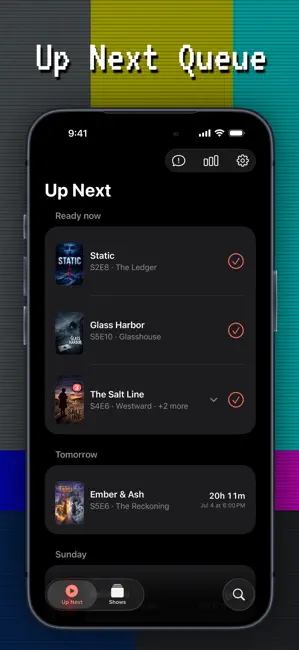
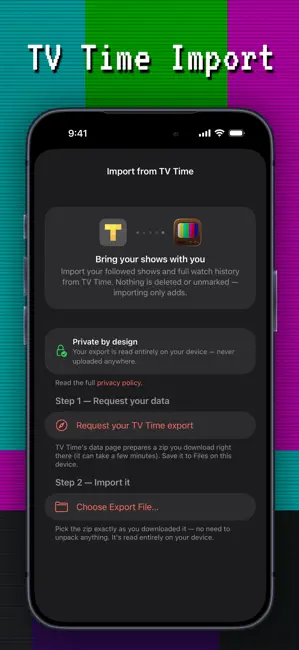
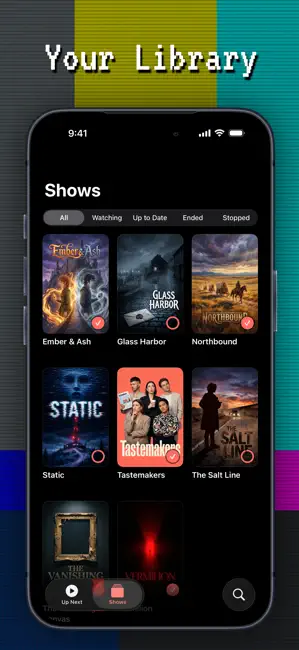
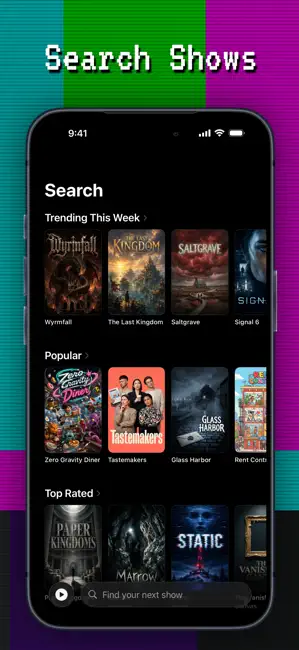
ATENÇÃO: você não pode assistir a séries ou filmes no Up Next. Ele serve apenas para acompanhar o que você está assistindo. Nunca perca um episódio. O Up Next acompanha tudo o que você assiste — o que já está disponível, o que vem por aí e exatamente onde você parou em cada série. VINDO DO TV TIME? Importe seu arquivo num toque. Escolha exatamente quais séries e episódios vêm junto, mantenha as datas originais em que você assistiu e traga também suas séries arquivadas. Você vai se sentir em casa. SEU PRÓXIMO EPISÓDIO, SEMPRE • Já disponível e Próximos — o próximo episódio não assistido de cada série, em uma lista só • Marque como assistido num toque; o Up Next avança para o próximo episódio automaticamente • Contagens regressivas ao vivo até o momento exato da estreia • Colocar em dia marca uma pilha inteira de episódios como assistidos num toque • Pause uma série para depois — as no…
App details
What you can learn from Up Next - Guia de Séries de TV
Every shipping app on the App Store has gone through the same decisions you're working through right now: which screenshot goes first, what caption sits over it, which device frame to show, what color the background should be. The 5 screenshots above are Up Next - Guia de Séries de TV's answers to those questions — they're public, they're real, and they made it through Apple's review.
Notice the first screenshot in particular. It's the one users see in search results and on the product page, and it's where most apps spend their best caption and tightest design. Look at the proportion of background to phone, where the text sits, what one thing the image is trying to communicate.
Want to see how other Entertainment apps approach the same problem? Browse more Entertainment apps in the showcase.
Take what works into your own screenshots
Open LaunchShots and design your App Store & Google Play screenshots — pick a device frame, drop captions, ship in minutes. Free, in your browser.
Open the screenshot editor →