Screenshots



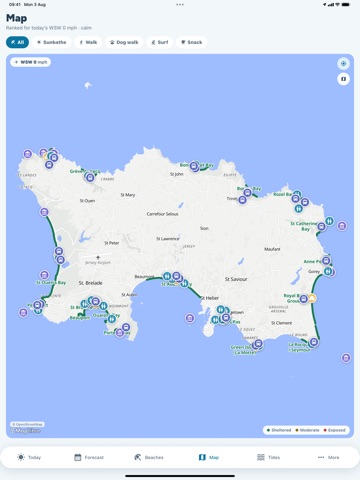
iPad screenshots


Icon palette
About this app
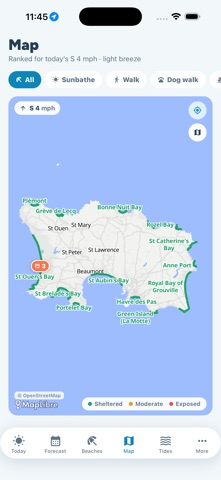
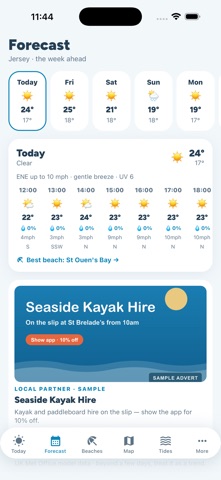
Your day on the beach in Jersey — planned in one glance. Jersey Beach App tells you the one thing every islander wants to know: which beach is best right now. Every bay on the island faces a different way, so the same wind that ruins St Ouen's makes Grouville perfect. We check the live wind and rank all 18 beaches by how sheltered they are — offshore-calm at the top, blown-out at the bottom. TODAY AT A GLANCE • Live temperature, feels-like, UV index with sun-safety advice • Wind speed, gusts and direction on a compass • Sea temperature and swell • Hour-by-hour forecast for the next 12 hours THE BEST BEACH, RIGHT NOW • All of Jersey's beaches ranked live by wind shelter • How much wind you'll actually feel on the sand • Amenities, dog rules, parking, lifeguard cover and local safety notes • One tap to directions BEST TIMES TO GO • The best windows in the next 24 hours for swimming an…
App details
What you can learn from Jersey Beach App
Every shipping app on the App Store has gone through the same decisions you're working through right now: which screenshot goes first, what caption sits over it, which device frame to show, what color the background should be. The 8 screenshots above are Jersey Beach App's answers to those questions — they're public, they're real, and they made it through Apple's review.
Notice the first screenshot in particular. It's the one users see in search results and on the product page, and it's where most apps spend their best caption and tightest design. Look at the proportion of background to phone, where the text sits, what one thing the image is trying to communicate.
Want to see how other Weather apps approach the same problem? Browse more Weather apps in the showcase.
Take what works into your own screenshots
Open LaunchShots and design your App Store & Google Play screenshots — pick a device frame, drop captions, ship in minutes. Free, in your browser.
Open the screenshot editor →