Screenshots

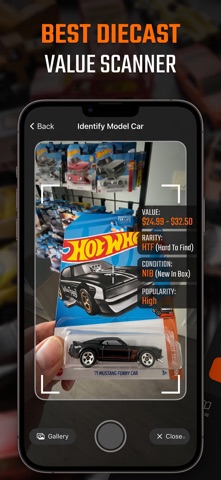
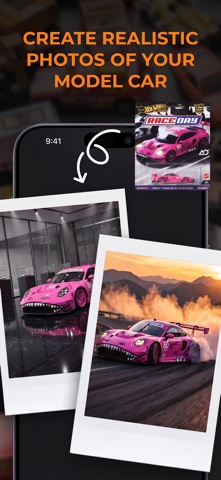


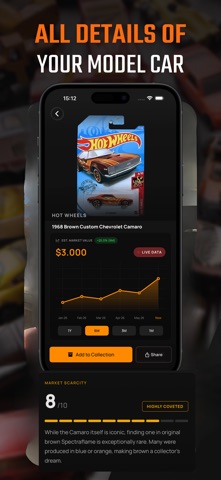

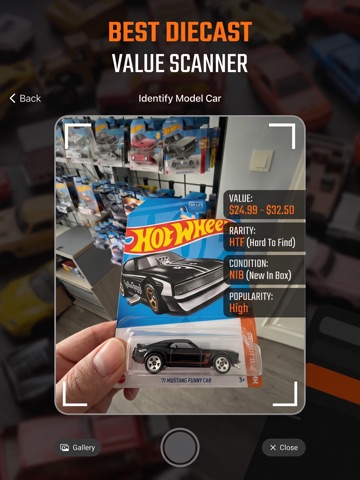
iPad screenshots




Icon palette
About this app
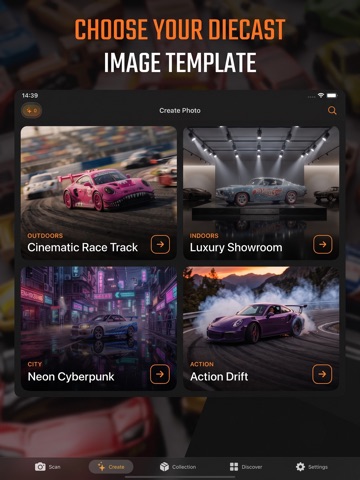
Welcome to Diecast AI, the ultimate companion for diecast car collectors and enthusiasts! Whether you're looking to identify a rare Hot Wheels model, track your collection's market value, or bring your miniature cars to life with breathtaking AI photography, Diecast AI has you covered. Key Features: • Smart Scanner & Identifier Simply snap a photo of any diecast model car. Our advanced AI instantly identifies the brand, model, specifications, and real-time market value. • AI Image Studio Unleash your creativity! Take a photo of your model car and let our AI generate hyper-realistic, cinematic images. Place your car on a professional race track, neon-lit city streets, or dynamic action scenes. • Ultimate Digital Garage Curate your personal collection in one place. Keep track of your models, monitor the total market value of your garage, and preserve the history of your most prized po…
App details
What you can learn from Diecast AI: Scan & Image Gen
Every shipping app on the App Store has gone through the same decisions you're working through right now: which screenshot goes first, what caption sits over it, which device frame to show, what color the background should be. The 14 screenshots above are Diecast AI: Scan & Image Gen's answers to those questions — they're public, they're real, and they made it through Apple's review.
Notice the first screenshot in particular. It's the one users see in search results and on the product page, and it's where most apps spend their best caption and tightest design. Look at the proportion of background to phone, where the text sits, what one thing the image is trying to communicate.
Want to see how other Reference apps approach the same problem? Browse more Reference apps in the showcase.
Take what works into your own screenshots
Open LaunchShots and design your App Store & Google Play screenshots — pick a device frame, drop captions, ship in minutes. Free, in your browser.
Open the screenshot editor →