Chart position — tracked daily by LaunchShots
Screenshot style breakdown
Sampled from 6 of 社労士 択一式対策 秒トレ:2027年度 法改正対応's App Store screenshots — background, accent and theme, measured by LaunchShots (not something Apple publishes).
#FCFCFC bg
#DDDDDD
#FCD404 accent
#111111 text
Screenshots




iPad screenshots



Icon palette
About this app
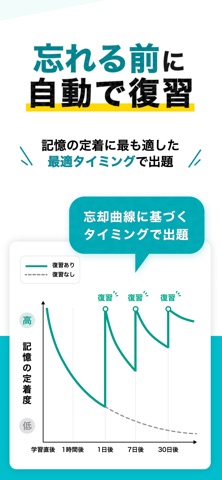
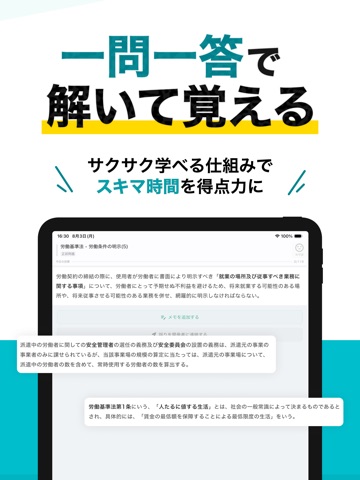
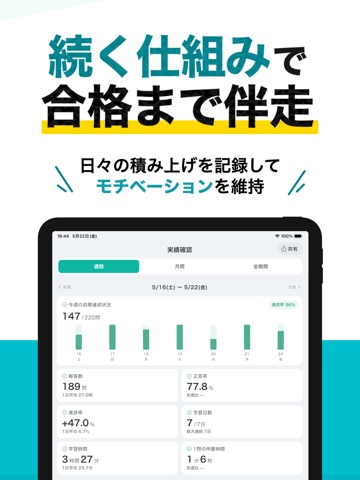
社労士(社会保険労務士)択一式試験の対策なら「秒トレ」 社労士 択一式試験の合格に欠かせない重要ポイントを厳選収録。スキマ時間で効率よく学べる、社労士受験生のための要点速習アプリです。 ▼ このアプリの強み 過去問・出題傾向に基づく要点学習 社労士(社会保険労務士)択一式試験の過去問および出題範囲から、出題傾向や頻出ポイントを抽出。 「一問一答」により、インプットとアウトプットを同時に行う効率的な学習が可能です。 記憶定着を促す「忘却曲線」出題 社労士 択一式試験の学習効率を高める鍵は「復習のタイミング」。 人間の記憶特性である「忘却曲線」に基づき、忘れかけた最適なタイミングで自動出題。 知識を確実に定着させ、試験本番でも通用する理解力を身につけます。 ▼ こんな方におすすめ ・社労士 択一式試験に効率よく合格したい方 ・独学で勉強しているが、要点整理に不安がある方 ・スキマ時間を活用して学習を進めたい方 最新の試験傾向には逐次対応しています。 ▼ 社労士(社会保険労務士)択一式試験合格への第一歩 …
App details
What you can learn from 社労士 択一式対策 秒トレ:2027年度 法改正対応
Every shipping app on the App Store has gone through the same decisions you're working through right now: which screenshot goes first, what caption sits over it, which device frame to show, what color the background should be. The 12 screenshots above are 社労士 択一式対策 秒トレ:2027年度 法改正対応's answers to those questions — they're public, they're real, and they made it through Apple's review.
What the numbers say: 社労士 択一式対策 秒トレ:2027年度 法改正対応 runs a light set with one background colour (#FCFCFC) carried across every screenshot — the listing reads as a single poster when the shots sit side by side in search results. The accent colour we picked up, #FCD404, is the one to reuse for badges, arrows and highlighted words if you borrow this look. Hit Use this style to open the editor with these exact colours and drop your own screenshot in.
Notice the first screenshot in particular. It's the one users see in search results and on the product page, and it's where most apps spend their best caption and tightest design. Look at the proportion of background to phone, where the text sits, what one thing the image is trying to communicate.
Want to see how other Education apps approach the same problem? Browse more Education apps in the showcase.
Take what works into your own screenshots
Open LaunchShots and design your App Store & Google Play screenshots — pick a device frame, drop captions, ship in minutes. Free, in your browser.
Open the screenshot editor →Apps with a similar look
Closest background + accent colours among the listings we've analysed — useful when you want to see the same palette handled by a different team.