Chart position — tracked daily by LaunchShots
Screenshot style breakdown
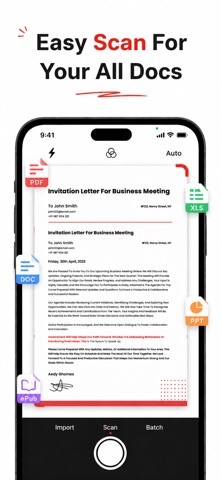
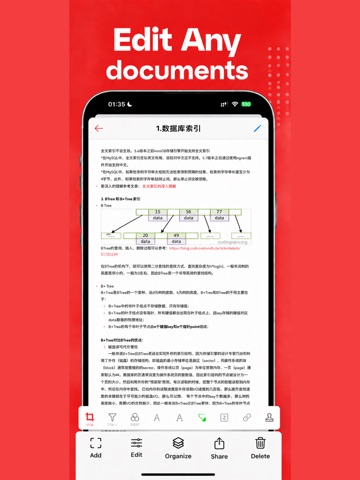
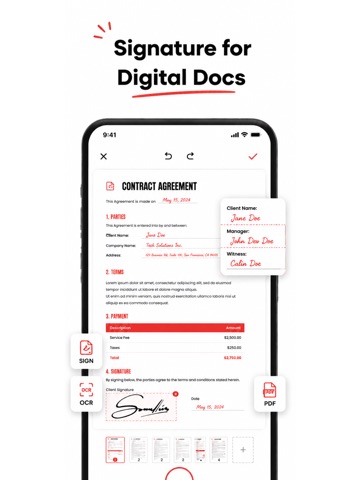
Sampled from 5 of PDF扫描仪 – 文件文档扫描 & 照片扫描's App Store screenshots — background, accent and theme, measured by LaunchShots (not something Apple publishes).
#E40C0C bg
#E72E2E
#EC5454 accent
#FFFFFF text
Screenshots



iPad screenshots



Icon palette
About this app
随时随地把纸质文件变成清晰的电子文档。用手机相机对准合同、发票、名片、书籍或白板,即可快速扫描并生成高清 PDF,也可以直接从相册或文件导入图片一键转换。 【智能扫描增强】 扫描后自动裁边、校正倾斜、去除阴影,支持彩色、灰度、黑白等多种模式,让文字更清晰、纸张更平整,扫描效果媲美真实扫描仪。 【文字识别与翻译】 内置 OCR 文字识别,快速提取图片和 PDF 中的文字,方便复制和编辑;数学公式可转为 LaTeX;图片翻译帮你看懂外文资料,学习办公两不误。 【全能 PDF 编辑】 合并多个 PDF、压缩文件体积、提取指定页面,还能添加时间戳、水印、手写签名和密码加密,轻松保护重要文件并完成签署流程。 【格式自由转换】 支持图片、HTML、Word、Excel、PPT 与 PDF 互转,也可将 PDF 导出为图片或拼接长图,满足打印、分享和归档等多种需求。 【本地文件管理】 在本机查看、搜索、排序、重命名、删除和分享 PDF,文件井然有序,随用随取,操作简单直观。 【实用合同模板】 提供合同、保密协议、雇佣协议、租赁协议等常用模板,直接编辑内容即可导出为 …
App details
What you can learn from PDF扫描仪 – 文件文档扫描 & 照片扫描
Every shipping app on the App Store has gone through the same decisions you're working through right now: which screenshot goes first, what caption sits over it, which device frame to show, what color the background should be. The 10 screenshots above are PDF扫描仪 – 文件文档扫描 & 照片扫描's answers to those questions — they're public, they're real, and they made it through Apple's review.
What the numbers say: PDF扫描仪 – 文件文档扫描 & 照片扫描 runs a mixed light-and-dark set where the background shifts from screenshot to screenshot (first shot #E40C0C) — each image has to stand on its own, so the captions carry more of the story. The accent colour we picked up, #EC5454, is the one to reuse for badges, arrows and highlighted words if you borrow this look. Hit Use this style to open the editor with these exact colours and drop your own screenshot in.
Notice the first screenshot in particular. It's the one users see in search results and on the product page, and it's where most apps spend their best caption and tightest design. Look at the proportion of background to phone, where the text sits, what one thing the image is trying to communicate.
Want to see how other Business apps approach the same problem? Browse more Business apps in the showcase.
Take what works into your own screenshots
Open LaunchShots and design your App Store & Google Play screenshots — pick a device frame, drop captions, ship in minutes. Free, in your browser.
Open the screenshot editor →Apps with a similar look
Closest background + accent colours among the listings we've analysed — useful when you want to see the same palette handled by a different team.