Screenshots



iPad screenshots


Icon palette
About this app
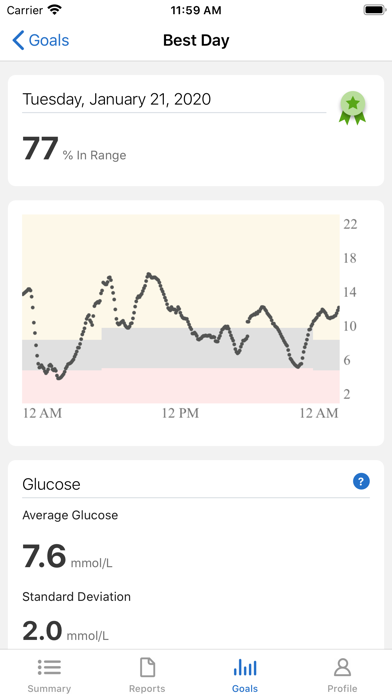
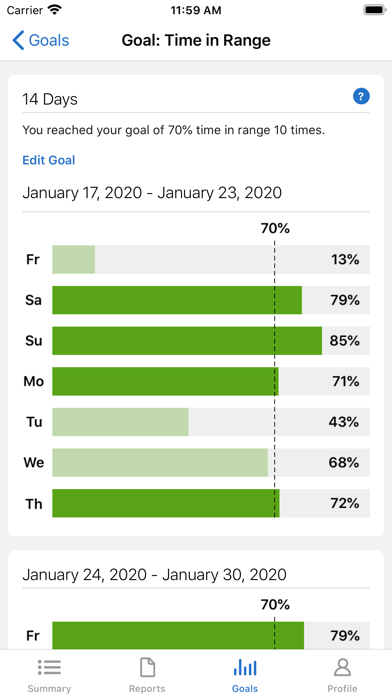
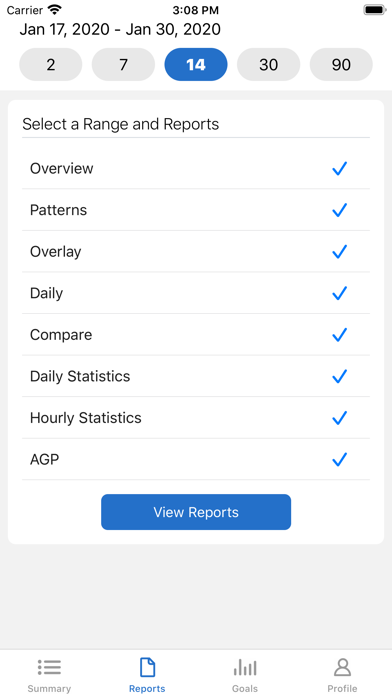
Are you ready to stay One Step Ahead of your diabetes? Now you can, from wherever you are, with Dexcom Clarity. View glucose patterns, trends and statistics so you know how close you are to your target range, anytime, anywhere you have internet connectivity. Log in with your Dexcom account to view patterns and trends so you can make informed decisions to help you manage your diabetes. • Check in with the Summary dashboard to track your progress. • With Reports, you can view, save, print or email any or all of Clarity's reports. • Use Share to accept your clinic's sharing code so they have access to your data to make your appointments more efficient. • In Profile, turn on weekly notifications and emails. This app store should not be used as your first point of contact to resolve technical or customer services issues. In order to protect your privacy and personal information, and pr…
App details
What you can learn from Dexcom Clarity
Every shipping app on the App Store has gone through the same decisions you're working through right now: which screenshot goes first, what caption sits over it, which device frame to show, what color the background should be. The 12 screenshots above are Dexcom Clarity's answers to those questions — they're public, they're real, and they made it through Apple's review.
Notice the first screenshot in particular. It's the one users see in search results and on the product page, and it's where most apps spend their best caption and tightest design. Look at the proportion of background to phone, where the text sits, what one thing the image is trying to communicate.
Want to see how other Medical apps approach the same problem? Browse more Medical apps in the showcase.
Take what works into your own screenshots
Open LaunchShots and design your App Store & Google Play screenshots — pick a device frame, drop captions, ship in minutes. Free, in your browser.
Open the screenshot editor →