Screenshots



Icon palette
About this app
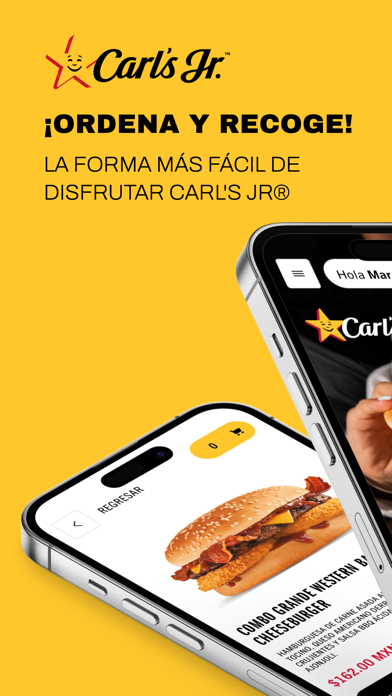
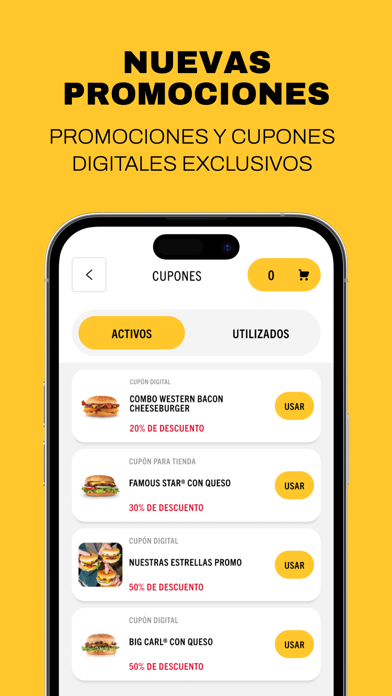
¡Ordena y recoge con tu app Carl's Jr. México! Ordenar desde tu App es la forma más fácil de disfrutar Carl's Jr. Realiza tus pedidos en línea y recógelo de la manera que más te convenga: ¡En caja, estacionamiento o desde tu mesa! Pagando en línea, ahorras tiempo y evitas filas. Además, disfruta nuestras nuevas promociones y cupones digitales exclusivos en nuestra App. No lo pienses más y disfruta de todos los nuevos beneficios que Carl’s Jr México tiene para ti. Esta aplicación solo está disponible en las siguientes ciudades: Tijuana, Rosarito, Ensenada, Tecate, Mexicali, San Luis Río Colorado, Nogales, San Quintín, Hermosillo, Guaymas, Ciudad Obregón, Navojoa, Los Mochis, Culiacán, Mazatlán, La Paz, San José del Cabo, Cabo San Lucas, Tepic, Puerto Vallarta, Guadalajara, Zapopan, Nuevo Vallarta, Mezcales, Los Gavilanes, Chihuahua, Ciudad Juárez, CDMX, Huixquilucan, Toluca, Zinacantep…
App details
What you can learn from Carl's Jr. México
Every shipping app on the App Store has gone through the same decisions you're working through right now: which screenshot goes first, what caption sits over it, which device frame to show, what color the background should be. The 5 screenshots above are Carl's Jr. México's answers to those questions — they're public, they're real, and they made it through Apple's review.
Notice the first screenshot in particular. It's the one users see in search results and on the product page, and it's where most apps spend their best caption and tightest design. Look at the proportion of background to phone, where the text sits, what one thing the image is trying to communicate.
Want to see how other Food & Drink apps approach the same problem? Browse more Food & Drink apps in the showcase.
Take what works into your own screenshots
Open LaunchShots and design your App Store & Google Play screenshots — pick a device frame, drop captions, ship in minutes. Free, in your browser.
Open the screenshot editor →