Screenshots
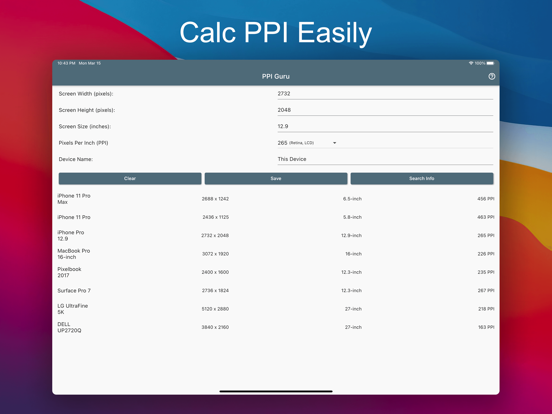
iPad screenshots
Icon palette
About this app
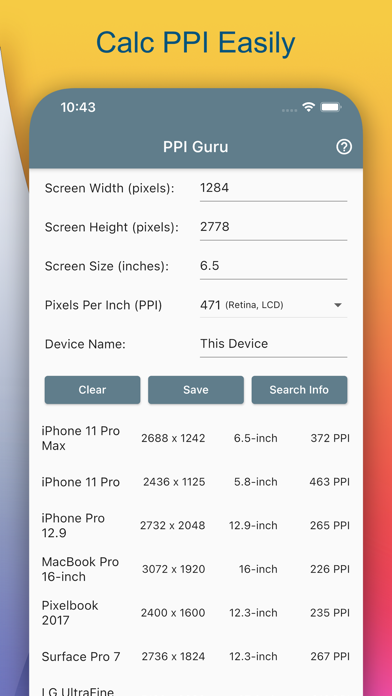
PPI Guru is utility to calculate display's PPI (Pixels Per Inch) of Phones, Pads or Laptops, even Monitors. For calculating PPI of specified display, just input screen width, height in pixels and diagonal size of the screen in inches, the PPI will be auto calculated and show in result. And it will indicate that display is or not a Retina Display. (Retina Display means (size greater or equal than 10″ and PPI greater or equal than 200) or (size less than 10″ and PPI greater or equal than 300)). Key Features: • Calculating PPI automatic • Search device information from internet • Retina Display indicator • Save device information For public sale devices, you can just enter device name, then press Search Info, PPI Guru will search that name with Google, then grab display's information of that device. PS. Search Info may not return accurate information, and it depends on accessibility to G…
App details
What you can learn from PPI Guru - Calc PPI Easily
Every shipping app on the App Store has gone through the same decisions you're working through right now: which screenshot goes first, what caption sits over it, which device frame to show, what color the background should be. The 2 screenshots above are PPI Guru - Calc PPI Easily's answers to those questions — they're public, they're real, and they made it through Apple's review.
Notice the first screenshot in particular. It's the one users see in search results and on the product page, and it's where most apps spend their best caption and tightest design. Look at the proportion of background to phone, where the text sits, what one thing the image is trying to communicate.
Want to see how other Utilities apps approach the same problem? Browse more Utilities apps in the showcase.
Take what works into your own screenshots
Open LaunchShots and design your App Store & Google Play screenshots — pick a device frame, drop captions, ship in minutes. Free, in your browser.
Open the screenshot editor →