Chart position — tracked daily by LaunchShots
Screenshot changes — detected by LaunchShots
Screenshot style breakdown
Sampled from 6 of Episode: Reality Stars's App Store screenshots — background, accent and theme, measured by LaunchShots (not something Apple publishes).
#CCC4C4 bg
#B3ACAC
#24446C accent
#111111 text
Screenshots


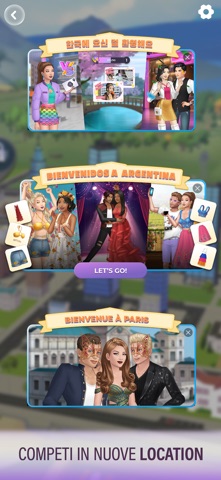


iPad screenshots


Icon palette
About this app
Dai creatori di Episode, il gioco narrativo amato da milioni di giocatori, ecco la tua prossima ossessione. Melodrammi sbalorditivi. Storie d’amore intense. Moda glamour. Scandali assurdi! Avrai bisogno di tutti questi ingredienti per rimanere sotto i riflettori del tuo reality show di successo! In Episode: Reality Stars ogni scelta determina la tua ascesa come celebrità! Diventerai la prossima icona dei reality show televisivi di Episode: Reality Stars, o sarà il resto del cast a farti mangiare la polvere? Scegli che tipo di star vuoi diventare! Crea il melodramma! Scegli da che parte stare. Forgia alleanze. Batti i tuoi rivali ed elimina gli antagonisti! Sfoggia la tua bellezza e ruba la scena Dai red carpet alle vacanze in spiaggia, assicurati che il tuo stile sia sempre perfetto. Amori, tradimenti e scandali Interagisci con le star più famose di Hollywood, vivi relazi…
App details
What you can learn from Episode: Reality Stars
Every shipping app on the App Store has gone through the same decisions you're working through right now: which screenshot goes first, what caption sits over it, which device frame to show, what color the background should be. The 20 screenshots above are Episode: Reality Stars's answers to those questions — they're public, they're real, and they made it through Apple's review.
What the numbers say: Episode: Reality Stars runs a mixed light-and-dark set where the background shifts from screenshot to screenshot (first shot #CCC4C4) — each image has to stand on its own, so the captions carry more of the story. The accent colour we picked up, #24446C, is the one to reuse for badges, arrows and highlighted words if you borrow this look. Hit Use this style to open the editor with these exact colours and drop your own screenshot in.
Notice the first screenshot in particular. It's the one users see in search results and on the product page, and it's where most apps spend their best caption and tightest design. Look at the proportion of background to phone, where the text sits, what one thing the image is trying to communicate.
Want to see how other Games apps approach the same problem? Browse more Games apps in the showcase.
Take what works into your own screenshots
Open LaunchShots and design your App Store & Google Play screenshots — pick a device frame, drop captions, ship in minutes. Free, in your browser.
Open the screenshot editor →Apps with a similar look
Closest background + accent colours among the listings we've analysed — useful when you want to see the same palette handled by a different team.