Chart position — tracked daily by LaunchShots
Screenshot changes — detected by LaunchShots
Screenshot style breakdown
Sampled from 6 of WEB.DE - Mail, Cloud & News's App Store screenshots — background, accent and theme, measured by LaunchShots (not something Apple publishes).
#FCFCFC bg
#DDDDDD
#FCDC04 accent
#111111 text
Screenshots


iPad screenshots


Icon palette
About this app
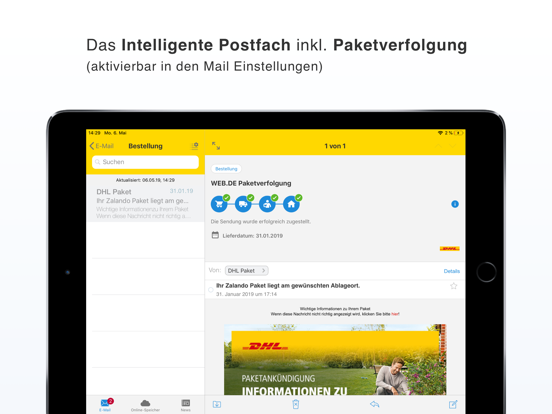
Ihr sicheres E-Mail-Postfach aus Deutschland Mit der kostenlosen WEB.DE Mail App verwalten Sie E-Mails, Fotos und Dateien einfach, sicher und übersichtlich. Jederzeit und überall. Ihr Postfach organisiert sich selbst: Wichtige E-Mails, Bestellungen und Newsletter werden automatisch sortiert. Paketverfolgungen (z. B. DHL, Deutsche Post) sehen Sie direkt im Postfach auf einen Blick. Speichern und teilen Sie Fotos und Dateien einfach in der integrierten Cloud – geschützt nach deutschen Sicherheits- und Datenschutzstandards. Bleiben Sie außerdem immer informiert mit aktuellen News aus Politik, Wissen, Unterhaltung, Sport und Ihrer Region. Jetzt kostenlos registrieren und direkt losmailen. Und das mit vielen praktischen Funktionen und Extras. - - - - - WEB.DE FreeMail im Überblick: E-MAIL • Verschlüsselte E-Mails senden und empfangen • Automatische Vorsortierung im Postfach…
App details
What you can learn from WEB.DE - Mail, Cloud & News
Every shipping app on the App Store has gone through the same decisions you're working through right now: which screenshot goes first, what caption sits over it, which device frame to show, what color the background should be. The 14 screenshots above are WEB.DE - Mail, Cloud & News's answers to those questions — they're public, they're real, and they made it through Apple's review.
What the numbers say: WEB.DE - Mail, Cloud & News runs a light set where the background shifts from screenshot to screenshot (first shot #FCFCFC) — each image has to stand on its own, so the captions carry more of the story. The accent colour we picked up, #FCDC04, is the one to reuse for badges, arrows and highlighted words if you borrow this look. Hit Use this style to open the editor with these exact colours and drop your own screenshot in.
Notice the first screenshot in particular. It's the one users see in search results and on the product page, and it's where most apps spend their best caption and tightest design. Look at the proportion of background to phone, where the text sits, what one thing the image is trying to communicate.
Want to see how other Productivity apps approach the same problem? Browse more Productivity apps in the showcase.
Take what works into your own screenshots
Open LaunchShots and design your App Store & Google Play screenshots — pick a device frame, drop captions, ship in minutes. Free, in your browser.
Open the screenshot editor →Apps with a similar look
Closest background + accent colours among the listings we've analysed — useful when you want to see the same palette handled by a different team.