Chart position — tracked daily by LaunchShots
Screenshot style breakdown
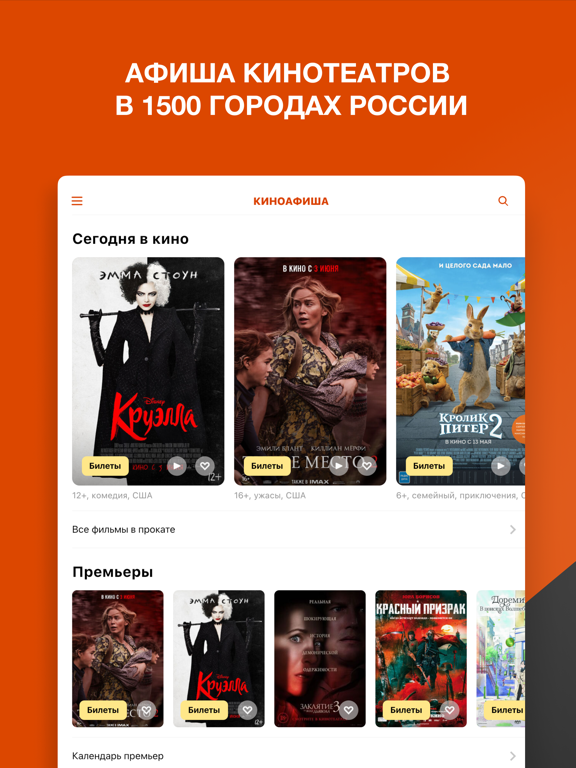
Sampled from 5 of КИНОАФИША — билеты в кино's App Store screenshots — background, accent and theme, measured by LaunchShots (not something Apple publishes).
#DC4404 bg
#E05E27
#FCEC94 accent
#FFFFFF text
Screenshots


iPad screenshots


Icon palette
About this app
Киноафиша — покупка билетов в кино и полное расписание сеансов в 1 400 кинотеатрах и 700 городах России, Беларуси и Казахстана. Всё, что идёт в кино: • афиша кинотеатров, премьеры и новинки проката с датами выхода; • трейлеры, кадры, рейтинги и рецензии; • подборки — что посмотреть сегодня и на выходных. Билеты в кино онлайн: • расписание сеансов с ценами; • выбор места на схеме зала и оплата онлайн; • электронный билет с QR-кодом — покажите экран на входе, без очереди в кассу. Кинотеатры рядом: • ближайшие кинотеатры на карте, адреса и телефоны; • сеансы поблизости на сегодня и завтра. Личная афиша: • избранные фильмы и кинотеатры; • список «хочу посмотреть»; • купленные билеты всегда под рукой. Скачайте Киноафишу — выбирайте фильм, сеанс и покупайте билеты за пару минут.
App details
What you can learn from КИНОАФИША — билеты в кино
Every shipping app on the App Store has gone through the same decisions you're working through right now: which screenshot goes first, what caption sits over it, which device frame to show, what color the background should be. The 10 screenshots above are КИНОАФИША — билеты в кино's answers to those questions — they're public, they're real, and they made it through Apple's review.
What the numbers say: КИНОАФИША — билеты в кино runs a dark set where the background shifts from screenshot to screenshot (first shot #DC4404) — each image has to stand on its own, so the captions carry more of the story. The accent colour we picked up, #FCEC94, is the one to reuse for badges, arrows and highlighted words if you borrow this look. Hit Use this style to open the editor with these exact colours and drop your own screenshot in.
Notice the first screenshot in particular. It's the one users see in search results and on the product page, and it's where most apps spend their best caption and tightest design. Look at the proportion of background to phone, where the text sits, what one thing the image is trying to communicate.
Want to see how other Entertainment apps approach the same problem? Browse more Entertainment apps in the showcase.
Take what works into your own screenshots
Open LaunchShots and design your App Store & Google Play screenshots — pick a device frame, drop captions, ship in minutes. Free, in your browser.
Open the screenshot editor →Apps with a similar look
Closest background + accent colours among the listings we've analysed — useful when you want to see the same palette handled by a different team.