Screenshots


iPad screenshots


Icon palette
About this app
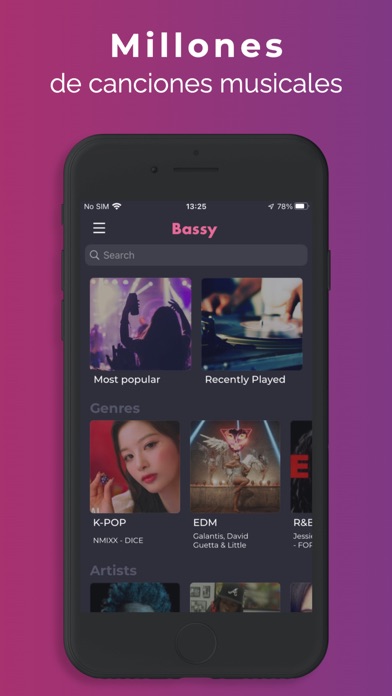
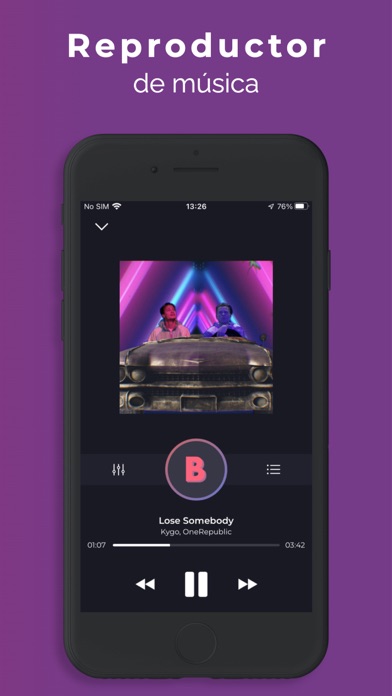
BASSY es un reproductor de música avanzado capaz de amplificar tus graves al máximo y conseguir un sonido más claro y potente. CARACTERÍSTICAS PRINCIPALES: - Potente efecto de refuerzo de graves - Sonido claro y más fuerte - 10 ajustes preestablecidos de ecualizador: Bassy, Dance, Hip-Hop, R&B, Lounge, Pop, Rock, Acústico, Plano, Profundo - Biblioteca de música y búsqueda. - Posibilidad de reproducir música de fondo. BASSY tiene una interfaz muy sencilla e intuitiva. ¡Haz clic en el ícono “B” y disfruta! Para tener una experiencia de escucha de música optimizada, utilice auriculares o altavoces externos. MÁS INFORMACIÓN: Condiciones de uso: https://www.apple.com/legal/internet-services/itunes/dev/stdeula/ Política de privacidad: https://funapps.me/privacy-policy/ Contacto: support@funapps.me
App details
What you can learn from Amplificador de volumen: Bassy
Every shipping app on the App Store has gone through the same decisions you're working through right now: which screenshot goes first, what caption sits over it, which device frame to show, what color the background should be. The 8 screenshots above are Amplificador de volumen: Bassy's answers to those questions — they're public, they're real, and they made it through Apple's review.
Notice the first screenshot in particular. It's the one users see in search results and on the product page, and it's where most apps spend their best caption and tightest design. Look at the proportion of background to phone, where the text sits, what one thing the image is trying to communicate.
Want to see how other Music apps approach the same problem? Browse more Music apps in the showcase.
Take what works into your own screenshots
Open LaunchShots and design your App Store & Google Play screenshots — pick a device frame, drop captions, ship in minutes. Free, in your browser.
Open the screenshot editor →