Screenshots



iPad screenshots


Icon palette
About this app
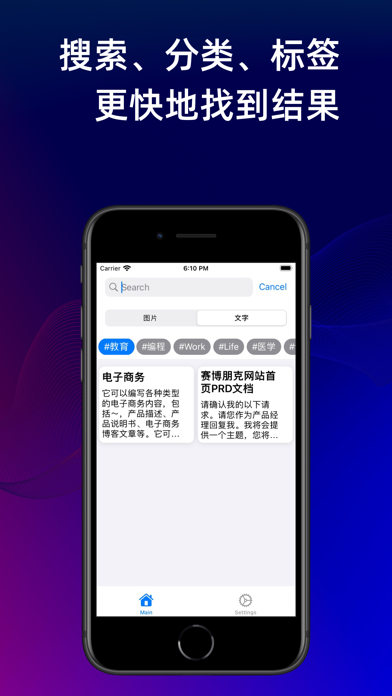
PromptBox提示词盒子是一款专门用来储存您的各种AI提示词的工具,轻量小巧,可以便捷地储存任何图片或是文字提示词,并且支持导入其他来源的任何提示词。同时,它也支持iCloud云同步,在任何设备的PromptBox 应用之间同步您的提示词。 在使用AI工具的时候,或许您有这样的疑问: 为什么别人的AI对话可以解决那么多问题,而自己的AI却总是给出不着边际的答案? 为什么别人的AI绘画的效果像是大师之作,而自己使用的效果却相差甚远? 或许这不是AI工具的问题,而是您给AI提供的内容不够准确与详尽。您输入给AI的文字有一个更加专业的名称,叫提示词(Prompt)。提示词是否优质会直接影响AI的回答质量。也正是因为目前提示词对于AI工具的重要性,甚至还衍生出了提示词工程师这个(Prompt Engineer)职业。 如果您是一个专业的AI工具爱好者,您或许也会发现一个问题。虽然可以在网上浏览到很多零零散散的优质提示词的文章和网站,但是每次需要使用的时候都需要去网站上搜索合适的提示词,并且在社交平台看到的一些很棒的提示词的帖子也很难集中储存到一个地方。 不过,没…
App details
What you can learn from PromptBox 提示词盒子 - 创建与收藏AI提示词
Every shipping app on the App Store has gone through the same decisions you're working through right now: which screenshot goes first, what caption sits over it, which device frame to show, what color the background should be. The 12 screenshots above are PromptBox 提示词盒子 - 创建与收藏AI提示词's answers to those questions — they're public, they're real, and they made it through Apple's review.
Notice the first screenshot in particular. It's the one users see in search results and on the product page, and it's where most apps spend their best caption and tightest design. Look at the proportion of background to phone, where the text sits, what one thing the image is trying to communicate.
Want to see how other Developer Tools apps approach the same problem? Browse more Developer Tools apps in the showcase.
Take what works into your own screenshots
Open LaunchShots and design your App Store & Google Play screenshots — pick a device frame, drop captions, ship in minutes. Free, in your browser.
Open the screenshot editor →