Screenshots



Icon palette
About this app
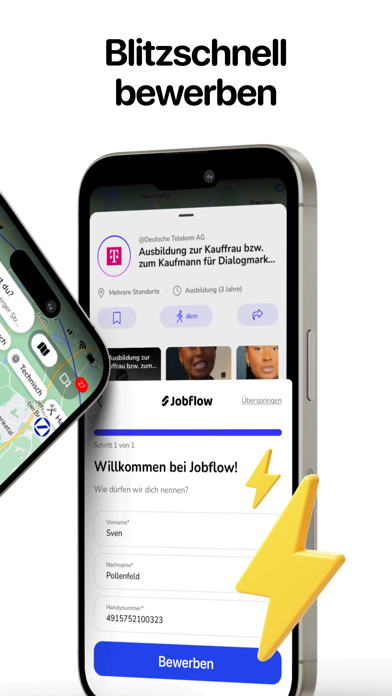
Bist du auf der Suche nach deiner Traum-Ausbildung? Mit Jobflow findest du übersichtlich alle Ausbildungen und Schülerpraktika in deiner Umgebung und bewirbst dich so einfach und schnell wie noch nie! Schluss mit komplizierten Bewerbungsverfahren – starte jetzt deine Karriere. DEINE FEATURES IM ÜBERBLICK: Berufsorientierung: Finde heraus, was zu dir passt Du bist unsicher, welche Ausbildung die richtige für dich ist? Kein Problem! Kurzvideos: Entdecke in informativen und unterhaltsamen Kurzvideos im TikTok-Style unzählige Ausbildungsberufe und finde heraus, was dich wirklich begeistert. KI-Berufsberatung: Unser intelligenter Chatbot steht dir als persönlicher Berater zur Seite. Er analysiert deine Interessen und Stärken und schlägt dir die passende Ausbildung vor. Job-Karte – Alle Ausbildungen auf einen Blick Keine Lust mehr auf endlose, unübersichtliche Listen? Wir auch nicht! …
App details
What you can learn from Jobflow – Ausbildung & Jobs
Every shipping app on the App Store has gone through the same decisions you're working through right now: which screenshot goes first, what caption sits over it, which device frame to show, what color the background should be. The 5 screenshots above are Jobflow – Ausbildung & Jobs's answers to those questions — they're public, they're real, and they made it through Apple's review.
Notice the first screenshot in particular. It's the one users see in search results and on the product page, and it's where most apps spend their best caption and tightest design. Look at the proportion of background to phone, where the text sits, what one thing the image is trying to communicate.
Want to see how other Business apps approach the same problem? Browse more Business apps in the showcase.
Take what works into your own screenshots
Open LaunchShots and design your App Store & Google Play screenshots — pick a device frame, drop captions, ship in minutes. Free, in your browser.
Open the screenshot editor →