Chart position — tracked daily by LaunchShots
Screenshot changes — detected by LaunchShots
Screenshot style breakdown
Sampled from 6 of Zomunk's App Store screenshots — background, accent and theme, measured by LaunchShots (not something Apple publishes).
#040404 bg
#272727
#74B4CC accent
#FFFFFF text
- #1As seen on Forbes mint TODAY
- #2Kolkota Hydrabad Chennai Kochi Ahmedabad
- #3Roundtrip Flights, Always
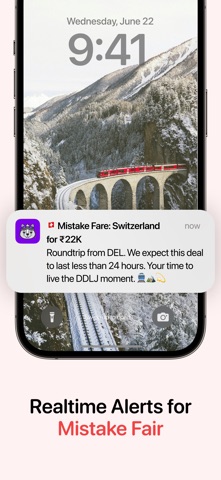
- #4Realtime Alerts for Mistake Fair
- #5Handpicked and Verified Deals for your next adventure
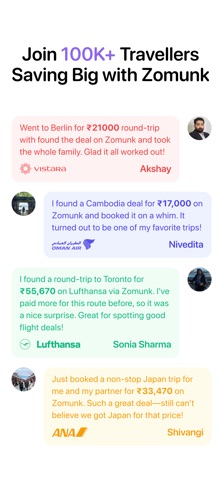
- #6? Lufthansa Sonia Sharma Hy Just booked a non-stop Japan trip for me and my partner for 33
Captions read from the screenshots (OCR, may contain small errors): 6 headlines, 7.5 words on average (longest 18).
Screenshots




iPad screenshots


Icon palette
About this app
At Zomunk, we’re more than just another flight comparison tool. Our mission is to find the best value international round-trip flights and deliver them directly to you. We filter out the noise of self-transfers, transit visas, long layovers, and unreliable airlines, focusing exclusively on high-quality flight experiences at affordable rates. Every deal we present is carefully handpicked by our team to ensure it offers excellent value for your journey. What sets Zomunk apart is that our service is specially designed with the needs of Indian passport holders in mind. We avoid self-transfers that often require additional visas and prioritize deals with short layovers and trusted airlines, ensuring a smooth, hassle-free journey. We also let you know the months during which each deal is available , helping you plan your trip with confidence. Unlike other services, Zomunk is completely inde…
App details
What you can learn from Zomunk
Every shipping app on the App Store has gone through the same decisions you're working through right now: which screenshot goes first, what caption sits over it, which device frame to show, what color the background should be. The 10 screenshots above are Zomunk's answers to those questions — they're public, they're real, and they made it through Apple's review.
What the numbers say: Zomunk runs a mixed light-and-dark set where the background shifts from screenshot to screenshot (first shot #040404) — each image has to stand on its own, so the captions carry more of the story. The accent colour we picked up, #74B4CC, is the one to reuse for badges, arrows and highlighted words if you borrow this look. Hit Use this style to open the editor with these exact colours and drop your own screenshot in.
Notice the first screenshot in particular. It's the one users see in search results and on the product page, and it's where most apps spend their best caption and tightest design. Look at the proportion of background to phone, where the text sits, what one thing the image is trying to communicate.
Want to see how other Travel apps approach the same problem? Browse more Travel apps in the showcase.
Take what works into your own screenshots
Open LaunchShots and design your App Store & Google Play screenshots — pick a device frame, drop captions, ship in minutes. Free, in your browser.
Open the screenshot editor →Apps with a similar look
Closest background + accent colours among the listings we've analysed — useful when you want to see the same palette handled by a different team.