Chart position — tracked daily by LaunchShots
Screenshot style breakdown
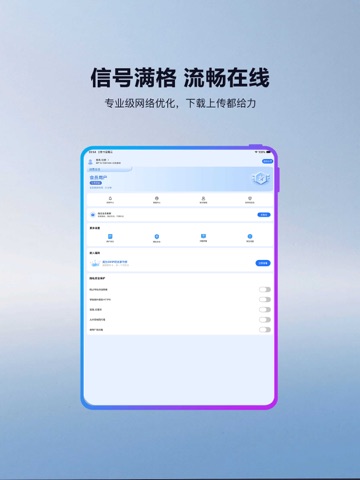
Sampled from 3 of 快连VPN-VPN海外网络全球加速器's App Store screenshots — background, accent and theme, measured by LaunchShots (not something Apple publishes).
#7CA4CC bg
#6D90B3
#BC34F4 accent
#111111 text
Reading the caption text from the screenshots in your browser…
Screenshots


iPad screenshots


Icon palette
About this app
厌倦了“假安全”和“常掉线”的加速器吗? 大多数加速器或VPN,无论是自称专线还是智能路由,底层依然使用被广泛识别的传统协议(如 OpenVPN/WireGuard 的变体)。它们的速度和连接稳定性,随时可能被外部策略影响。 我们的核心不同点:拒绝被识别,真正安全稳定! 1.独家「隐形穿梭协议™」: 协议流量经过深度混淆和封装,模拟普通 HTTPS 流量。从外部看,您的加速行为是“隐形”的,难以追踪、无法拦截,保证连接成功率 99.9%。 2.全链路数据指纹消除: 我们在数据传输的每一个节点都执行动态数据指纹消除。您的数据不仅加密,而且在物理路径上也是“无痕”的,真正实现了网络隐私的终极保护。 3.专为「低延迟竞技」优化: 我们不盲目追求带宽,而是追求数据包的最小延迟和波动。App 内置 [AI 延迟校准器],专门针对全球主流电竞和实时应用场景进行优化,保障您在毫秒间的竞技优势。 谁必须选择我们? 对隐私有极致要求的用户,不容许任何数据被追踪。 电竞玩家和金融交易者,要求网络延迟必须像心脏跳动一样稳定。 厌倦了频繁更换加速器、追求一次到位稳…
App details
What you can learn from 快连VPN-VPN海外网络全球加速器
Every shipping app on the App Store has gone through the same decisions you're working through right now: which screenshot goes first, what caption sits over it, which device frame to show, what color the background should be. The 6 screenshots above are 快连VPN-VPN海外网络全球加速器's answers to those questions — they're public, they're real, and they made it through Apple's review.
What the numbers say: 快连VPN-VPN海外网络全球加速器 runs a light set with one background colour (#7CA4CC) carried across every screenshot — the listing reads as a single poster when the shots sit side by side in search results. The accent colour we picked up, #BC34F4, is the one to reuse for badges, arrows and highlighted words if you borrow this look. Hit Use this style to open the editor with these exact colours and drop your own screenshot in.
Notice the first screenshot in particular. It's the one users see in search results and on the product page, and it's where most apps spend their best caption and tightest design. Look at the proportion of background to phone, where the text sits, what one thing the image is trying to communicate.
Want to see how other Utilities apps approach the same problem? Browse more Utilities apps in the showcase.
Take what works into your own screenshots
Open LaunchShots and design your App Store & Google Play screenshots — pick a device frame, drop captions, ship in minutes. Free, in your browser.
Open the screenshot editor →Apps with a similar look
Closest background + accent colours among the listings we've analysed — useful when you want to see the same palette handled by a different team.