Chart position — tracked daily by LaunchShots
Screenshot style breakdown
Sampled from 6 of Dental Folio's App Store screenshots — background, accent and theme, measured by LaunchShots (not something Apple publishes).
#FCFCF4 bg
#DDDDD6
#CC7C7C accent
#111111 text
Screenshots
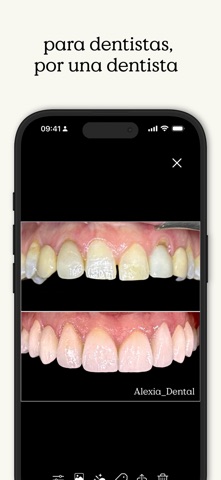

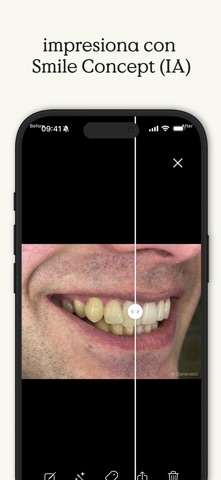


iPad screenshots
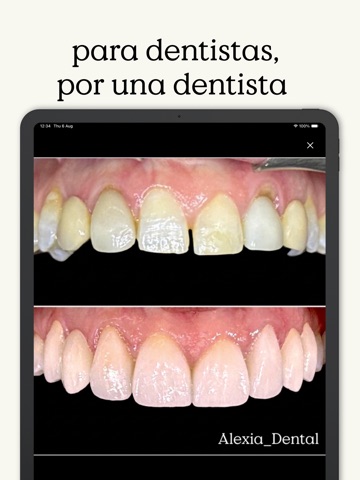


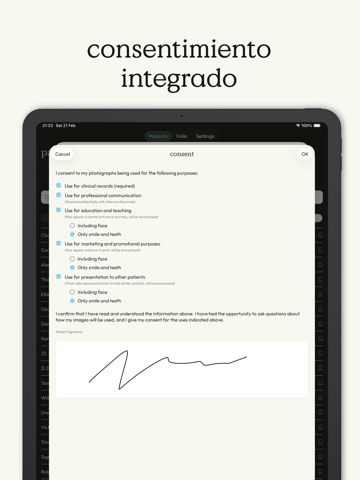

Icon palette
About this app
DentalFolio es la app integral de fotografía dental que ayuda a los clínicos a capturar, organizar y presentar fotos clínicas con claridad y consistencia. Creada por un dentista en ejercicio, convierte imágenes dispersas en presentaciones de casos limpias y estructuradas que puedes usar al instante en conversaciones con pacientes. Fotos claras. Conversaciones con confianza. CAPTURA O IMPORTA FOTOS CLÍNICAS Toma fotos directamente en la app o impórtalas desde tu carrete o cámara DSLR. La captura guiada favorece la consistencia. Orientación y alineación gestionadas automáticamente. ORGANIZA LAS FOTOS EN CASOS CLAROS Mantén separadas las imágenes personales y clínicas. Cada foto pertenece a la ficha de un paciente o a un caso estructurado, para que encuentres lo que necesitas al instante. PRESENTA CON CLARIDAD VISUAL Completa tus revisiones con una presentación clara en pantalla de lo…
App details
What you can learn from Dental Folio
Every shipping app on the App Store has gone through the same decisions you're working through right now: which screenshot goes first, what caption sits over it, which device frame to show, what color the background should be. The 12 screenshots above are Dental Folio's answers to those questions — they're public, they're real, and they made it through Apple's review.
What the numbers say: Dental Folio runs a light set with one background colour (#FCFCF4) carried across every screenshot — the listing reads as a single poster when the shots sit side by side in search results. The accent colour we picked up, #CC7C7C, is the one to reuse for badges, arrows and highlighted words if you borrow this look. Hit Use this style to open the editor with these exact colours and drop your own screenshot in.
Notice the first screenshot in particular. It's the one users see in search results and on the product page, and it's where most apps spend their best caption and tightest design. Look at the proportion of background to phone, where the text sits, what one thing the image is trying to communicate.
Want to see how other Medical apps approach the same problem? Browse more Medical apps in the showcase.
Take what works into your own screenshots
Open LaunchShots and design your App Store & Google Play screenshots — pick a device frame, drop captions, ship in minutes. Free, in your browser.
Open the screenshot editor →Apps with a similar look
Closest background + accent colours among the listings we've analysed — useful when you want to see the same palette handled by a different team.