Screenshots

Icon palette
About this app
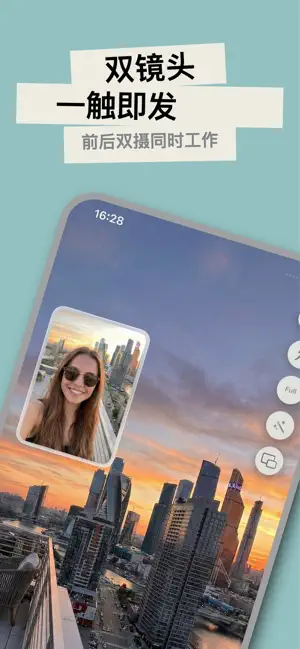
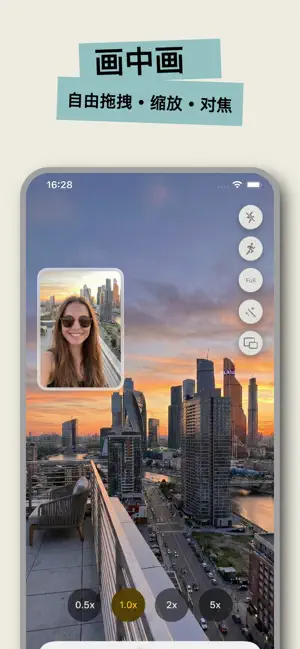
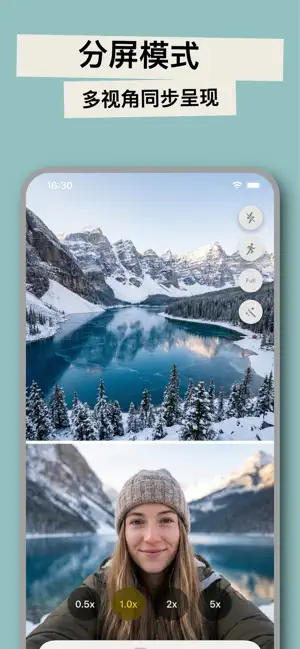
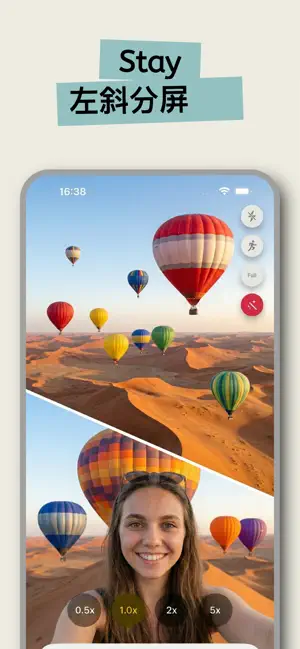
BiLens — 前后双摄,一拍即合 BiLens 是一款专为 iPhone 打造的前后双摄拍照与录像应用。同时调用前置和后置摄像头,一次拍摄捕捉两个视角,让你的照片和视频更加生动、有趣。无论是旅行Vlog、街头探店,还是日常记录,BiLens 都能帮你轻松完成。 【前后双摄,同时拍摄】 同时启用前后摄像头,一键拍摄两个画面。前置记录你的表情,后置捕捉眼前的风景,真正的"所见即所拍"。 【多种画面布局】 画中画模式:小窗口叠加在主画面上,支持矩形/圆形窗口,可自由拖拽位置和调整大小 上下分屏 / 左右分屏:两路画面均等展示 斜线分屏:左斜/右斜创意构图,打造独特视觉效果 一键切换主副摄像头,灵活掌控拍摄视角 【专业级拍摄能力】 支持 1080p / 4K 超清照片与视频 视频帧率可选 24/30/60fps 0.5x 超广角至 5x 长焦变焦 闪光灯支持自动/开启/关闭 视频防抖,画面更稳定 多种画面比例:Full、16:9、4:3、5:4、1:1、9:16 【点击对焦 & 曝光调节】 点击屏幕任意位置即可精准对焦,上下滑动调节曝光亮度。长按锁定自动对焦/自动曝光(AE/AF Lock),让拍摄更专业。 【…
App details
What you can learn from BiLens
Every shipping app on the App Store has gone through the same decisions you're working through right now: which screenshot goes first, what caption sits over it, which device frame to show, what color the background should be. The 6 screenshots above are BiLens's answers to those questions — they're public, they're real, and they made it through Apple's review.
Notice the first screenshot in particular. It's the one users see in search results and on the product page, and it's where most apps spend their best caption and tightest design. Look at the proportion of background to phone, where the text sits, what one thing the image is trying to communicate.
Want to see how other Photo & Video apps approach the same problem? Browse more Photo & Video apps in the showcase.
Take what works into your own screenshots
Open LaunchShots and design your App Store & Google Play screenshots — pick a device frame, drop captions, ship in minutes. Free, in your browser.
Open the screenshot editor →