Screenshots

Icon palette
About this app
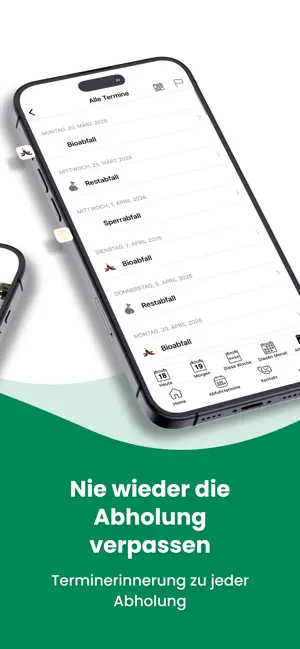
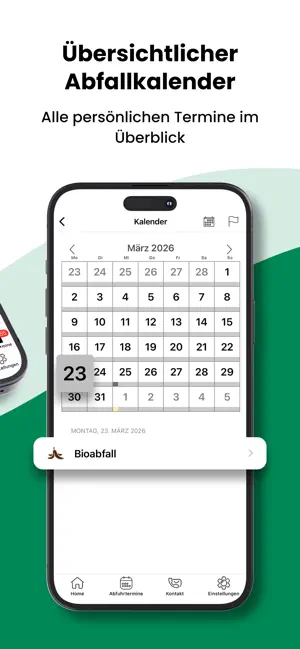
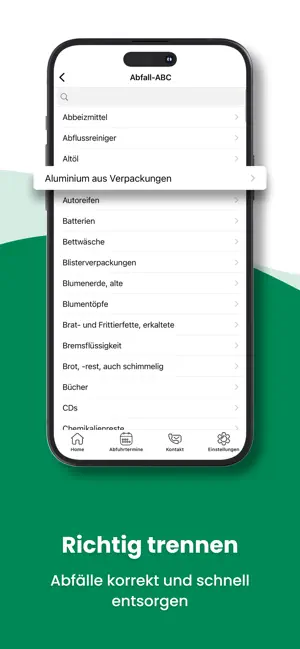
Mit der AHE App hast du die Abfuhrtermine für alle Städte im Ennepe-Ruhr-Kreis und der Stadt Hagen jederzeit griffbereit. Zudem findest du Informationen über die Wertstoffhöfe und -zentren im Kreis und erhältst aktuelle Neuigkeiten zu Verschiebungen und Verzögerungen – schnell, übersichtlich und zuverlässig. Features: -> Tag der Erinnerung einstellen -> Uhrzeit der Erinnerung einstellen -> Abfallarten filtern (z.B. nur Bioabfall) -> beliebig viele Standorte einstellen (ideal für Hausverwaltungen) -> Benachrichtigung über das Notification Center Viele Zusatzinfos: -> Standorte für Depotcontainer (Altpapier), Altglas und Altkleider -> Wertstoffhöfe- und zentren -> Abfall-ABC richtig sortieren -> AHE-News So geht's: -> App herunterladen, installieren und starten -> Optional kostenlos anmelden (einmal registrieren und auf beliebig vielen Geräten gleichzeitig nutzen) -> Stadt/Gemeinde, O…
App details
What you can learn from AHE Abfall App
Every shipping app on the App Store has gone through the same decisions you're working through right now: which screenshot goes first, what caption sits over it, which device frame to show, what color the background should be. The 4 screenshots above are AHE Abfall App's answers to those questions — they're public, they're real, and they made it through Apple's review.
Notice the first screenshot in particular. It's the one users see in search results and on the product page, and it's where most apps spend their best caption and tightest design. Look at the proportion of background to phone, where the text sits, what one thing the image is trying to communicate.
Want to see how other Reference apps approach the same problem? Browse more Reference apps in the showcase.
Take what works into your own screenshots
Open LaunchShots and design your App Store & Google Play screenshots — pick a device frame, drop captions, ship in minutes. Free, in your browser.
Open the screenshot editor →