Screenshots


Icon palette
About this app
QR & Barcode Scanner is an iPhone app that lets you instantly scan QR codes and barcodes using your phone's camera. It helps you open links, check product information, verify authenticity, and create your own QR codes for sharing websites, contacts, or Wi-Fi. Best for: - Anyone needing a free QR code reader - Shoppers scanning barcodes for product details - Users creating QR codes for business or personal use - People managing inventory with batch scanning How to Scan a QR Code with iPhone - Open the app and point your camera at any code. - The app instantly recognizes it and shows the result. - Tap to open a link, see product info, or save the data. Key Features - QR Code & Barcode Scanner Scan all standard code types instantly using your iPhone camera. Works with QR, EAN, UPC, Code 128, Data Matrix, and more. - Safe URL Checker Know exactly where a link leads before you open it.…
App details
What you can learn from QR Code Reader•Barcode Scanner
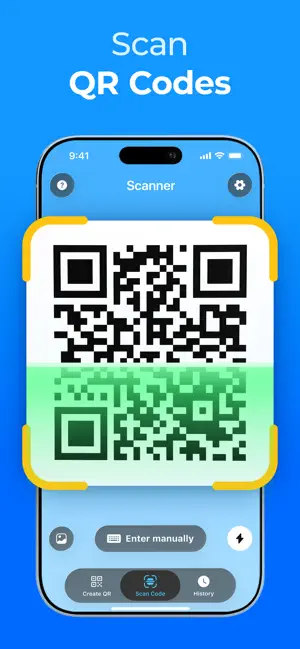
Every shipping app on the App Store has gone through the same decisions you're working through right now: which screenshot goes first, what caption sits over it, which device frame to show, what color the background should be. The 6 screenshots above are QR Code Reader•Barcode Scanner's answers to those questions — they're public, they're real, and they made it through Apple's review.
Notice the first screenshot in particular. It's the one users see in search results and on the product page, and it's where most apps spend their best caption and tightest design. Look at the proportion of background to phone, where the text sits, what one thing the image is trying to communicate.
Want to see how other Utilities apps approach the same problem? Browse more Utilities apps in the showcase.
Take what works into your own screenshots
Open LaunchShots and design your App Store & Google Play screenshots — pick a device frame, drop captions, ship in minutes. Free, in your browser.
Open the screenshot editor →