Screenshots


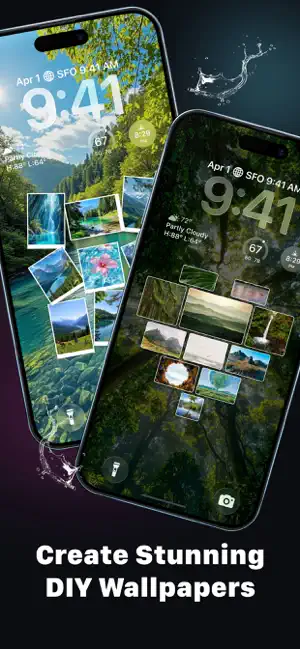

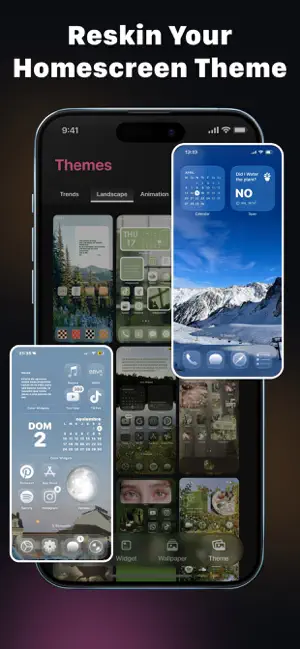

Icon palette
About this app
Retheme helps you personalize your phone with widgets, wallpapers, and full theme setups designed to match your style. From custom photo widgets to live wallpapers and icon-ready themes, Retheme gives you flexible tools to build a home screen that feels more personal, expressive, and fun to use every day. Customize your screen your way! 1. Widgets Create a home screen that looks good and works for your daily routine: • Photo Widget: add your own photos and customize them with crop, size, text, stickers, and frames • Live Widget: bring more motion and energy to your screen • Clock Widget: choose time displays that match your layout • Battery Widget: check battery status at a glance • Weather Widget: stay updated with current weather info • To Do List Widget: keep important tasks visible on your home screen • Countdown Widget: count down to birthdays, holidays, events, and special mome…
App details
What you can learn from Retheme: Locket Widget, Theme
Every shipping app on the App Store has gone through the same decisions you're working through right now: which screenshot goes first, what caption sits over it, which device frame to show, what color the background should be. The 6 screenshots above are Retheme: Locket Widget, Theme's answers to those questions — they're public, they're real, and they made it through Apple's review.
Notice the first screenshot in particular. It's the one users see in search results and on the product page, and it's where most apps spend their best caption and tightest design. Look at the proportion of background to phone, where the text sits, what one thing the image is trying to communicate.
Want to see how other Utilities apps approach the same problem? Browse more Utilities apps in the showcase.
Take what works into your own screenshots
Open LaunchShots and design your App Store & Google Play screenshots — pick a device frame, drop captions, ship in minutes. Free, in your browser.
Open the screenshot editor →