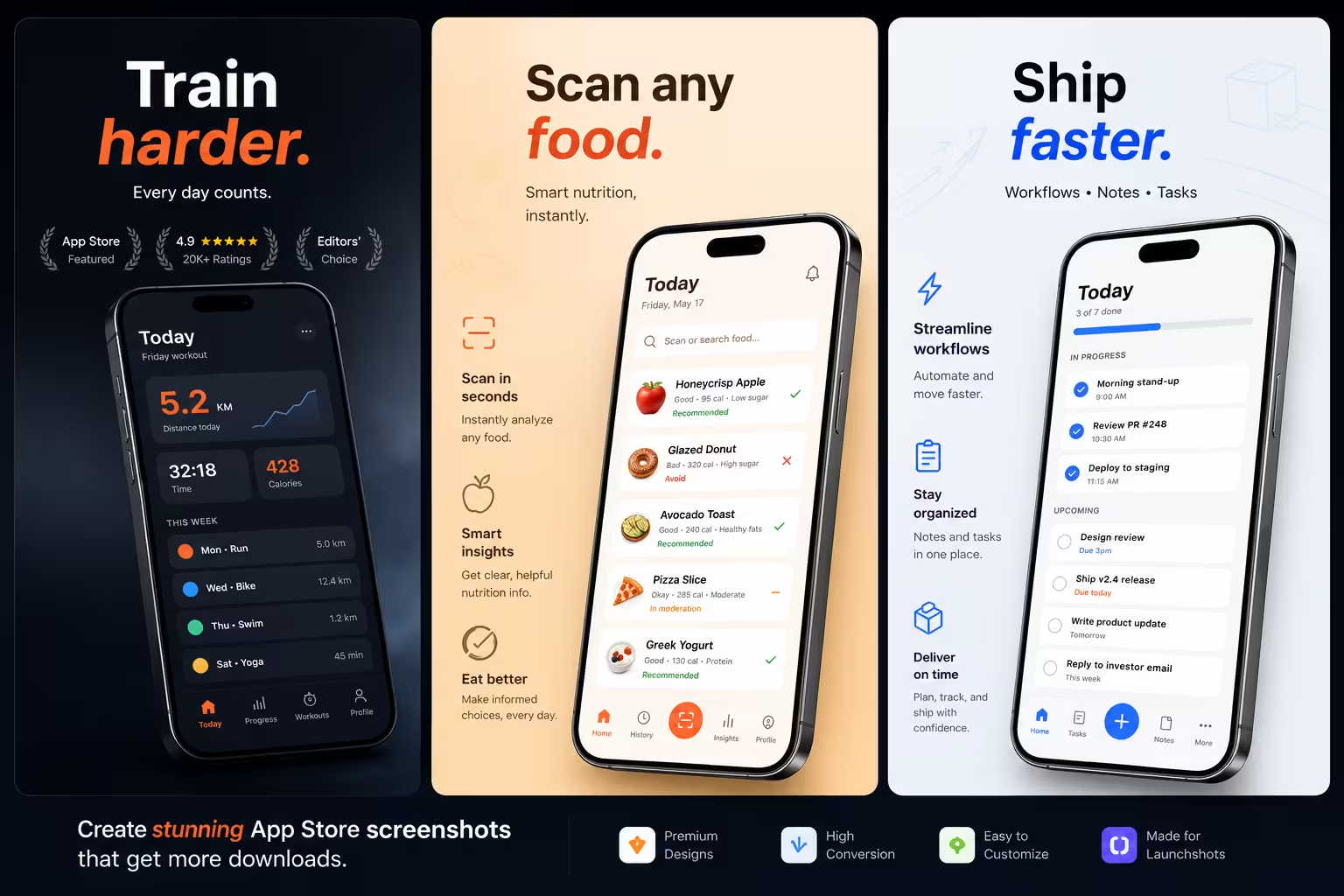
Three steps. That's it.
No tutorials, no onboarding, no learning curve. Just results.
Drop your screenshot
Drag & drop or paste — stays in your browser, never uploaded.
Pick a frame & caption
Choose a device, write your headline, set colors. Live preview.
Export & ship
Download a ZIP by locale — drag into App Store Connect or Google Play.
Everything you need, nothing you don't.
All features are free. No "Pro" tier, no paywall hiding the good stuff.
11 device frames
iPhone 15 Pro, Pixel 9 Pro, Galaxy S24, iPad Pro, Apple Watch and more — drawn pixel-perfect, no muddy screenshots from blog posts.
23 languages
One-click auto-translate for global launches. Markdown preserved.


Templates & themes
Category templates, gradients, mesh backgrounds, custom images.
Zoom callouts
Magnified detail cards you can drag anywhere on the canvas.
Annotations
Arrows, badges, "NEW" labels with drag, resize & rotate.
Multi-screen
Build your full set, reorder by drag, duplicate with one click.
App Store-ready ZIP
Export every screen in every language, organized by locale — drop straight into App Store Connect or Play Console.
Private by design
No accounts, no uploads, no servers. Your images never leave your browser — exports happen on your own machine.
$ whoami
Built by an indie dev, for indie devs.
I needed App Store screenshots for my own side projects. Every tool I tried wanted a subscription or watermarked the output. So I built the free alternative I actually wanted.
No "Pro" tier coming, no paywalls. Open the URL, drop a screenshot, ship.
Crafted in İzmir · by Sedat Okutan
More than screenshots
Small, free, no-signup tools for shipping your app — all in your browser.
App Icon Generator
Drop one 1024×1024 icon — get every iOS & Android size out the other end, named exactly the way Xcode and Asset Studio want them.
ASO Description Writer
Live character counters for title, subtitle, keywords & description.
- Title 30 chars
- Subtitle 30 chars
- Keywords 100 chars
Privacy Policy Generator
GDPR, CCPA & children's privacy in a few clicks.
- GDPR ready
- CCPA ready
- COPPA section
Feature Graphic Maker
Google Play feature graphic (1024×500) and social banners.
Open tool →QR Code Generator
"Scan to download" QR codes for posters and pitch decks.
Open tool →Color Wheel
Pick a harmony — complementary, triadic & more.
Open tool →Font Library
90+ free Google Fonts — preview, pair, download. Individual SEO-ready pages with usage tips.
Browse fonts →More on the way
Social media banners, mockup framers, and more. Got a suggestion? Drop it on the feedback board.
Coming soonLatest from the blog
Guides on App Store screenshots, sizes, and shipping indie apps.
Flutter In-App Subscriptions: RevenueCat vs in_app_purchase
Two real options for Flutter subscriptions in 2026: RevenueCat or the official in_app_purchase package. What each costs, what each builds, when to pick which.
ASO Jun 4, 2026App Store Preview Video: The 15-30 Second Guide (2026)
Apple plays your preview video automatically muted in search results. Every spec, the timing rules, and the structure that converts in 15-30 seconds.
ASO Jun 3, 2026App Store Promotional Text: The 170-Character Guide (2026)
The most underused field in iOS ASO. Not indexed, updatable anytime without a new version. What to put there, when to change it, the patterns that convert.
ASO Jun 3, 2026App Store Description: The 4,000-Character Guide (2026)
Apple gives you 4,000 characters to convert visitors into installs. The first 3 lines do 80% of the work. Every rule, structure, and conversion lever.
ASO Jun 2, 2026App Store Title vs Subtitle: What Goes Where (2026)
Apple gives you 30 characters for title and 30 for subtitle. They have different roles, weights, and rules — most indie devs waste a third of those 60.
ASO Jun 2, 2026App Store Keywords: The 100-Character Guide (2026)
Apple gives you 100 characters to tell its search algorithm which queries should surface your app. Every rule, mistake, and step to fill it without waste.
You ask, I build
Real requests from people using LaunchShots — and what came of them.
Questions
Yes — completely free, with no paid tier and no hidden limits.
No. Your exported screenshots are clean, no branding added.
No signup. Just open and start — no account, no email.
No. Everything runs in your browser — nothing leaves your device.
Both Apple App Store and Google Play Store, all required sizes.
$ launchshots --ready
Ready to ship?
No signup. No clutter. Just open and start.
launch app →