Screenshot style breakdown
Sampled from 5 of 投信つみたてアプリ's App Store screenshots — background, accent and theme, measured by LaunchShots (not something Apple publishes).
#3CDCCC bg
#34C1B3
#049CF4 accent
#111111 text
Screenshots


Icon palette
About this app
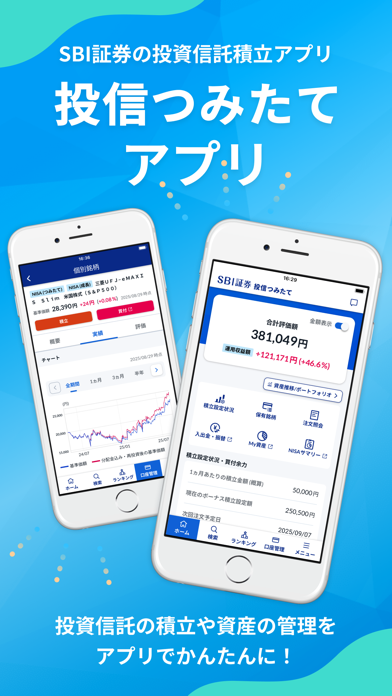
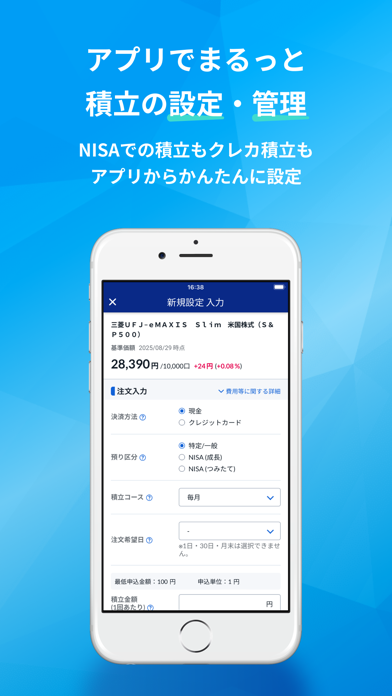
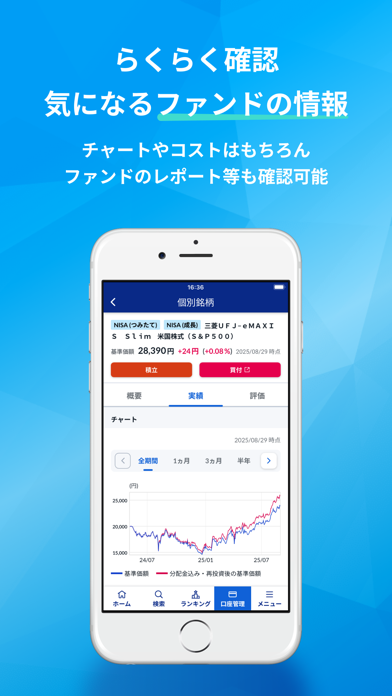
「投信つみたてアプリ」は、投資信託の積立設定・口座管理に特化したSBI証券公式アプリです。 投資信託の保有状況からリターンの確認、ファンドの検索、積立設定までアプリ内で完結!投資初心者の方にもおすすめです。 【主な特徴】 ■初めての方でも迷わず使えるシンプルなデザイン アプリを開くだけで最新の運用損益を一目で把握。 損益状況に応じて文字色が変わるため、直感的に確認できます。 「資産推移/ポートフォリオ」画面では、資産額の推移や投資先のバランスをまとめて確認できます。 ■充実のファンド情報 ランキングやファンド検索機能で、気になる投資信託をチェック。 個別ファンドの分析など、ファンド選びの参考になる情報が充実。 並び替えやキーワード検索機能で、ご自身の投資スタイルやご希望に合ったファンドが見つかります。 ■多様な積立設定方法 NISAでの積立やクレジットカード決済にも対応。ポイントを貯めながら資産運用をより便利に始めることができます。 積立金額は100円から設定可能。ライフスタイルに合わせて柔軟に設定・変更でき…
App details
What you can learn from 投信つみたてアプリ
Every shipping app on the App Store has gone through the same decisions you're working through right now: which screenshot goes first, what caption sits over it, which device frame to show, what color the background should be. The 5 screenshots above are 投信つみたてアプリ's answers to those questions — they're public, they're real, and they made it through Apple's review.
What the numbers say: 投信つみたてアプリ runs a mixed light-and-dark set where the background shifts from screenshot to screenshot (first shot #3CDCCC) — each image has to stand on its own, so the captions carry more of the story. The accent colour we picked up, #049CF4, is the one to reuse for badges, arrows and highlighted words if you borrow this look. Hit Use this style to open the editor with these exact colours and drop your own screenshot in.
Notice the first screenshot in particular. It's the one users see in search results and on the product page, and it's where most apps spend their best caption and tightest design. Look at the proportion of background to phone, where the text sits, what one thing the image is trying to communicate.
Want to see how other Finance apps approach the same problem? Browse more Finance apps in the showcase.
Take what works into your own screenshots
Open LaunchShots and design your App Store & Google Play screenshots — pick a device frame, drop captions, ship in minutes. Free, in your browser.
Open the screenshot editor →Apps with a similar look
Closest background + accent colours among the listings we've analysed — useful when you want to see the same palette handled by a different team.