Screenshots
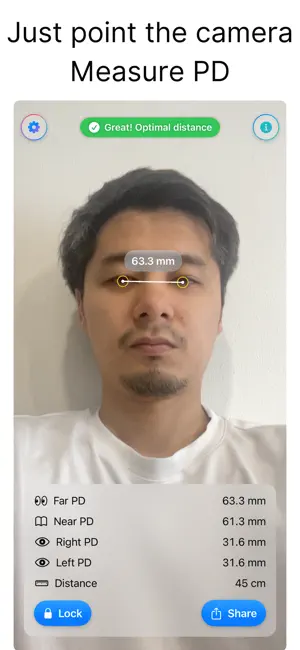
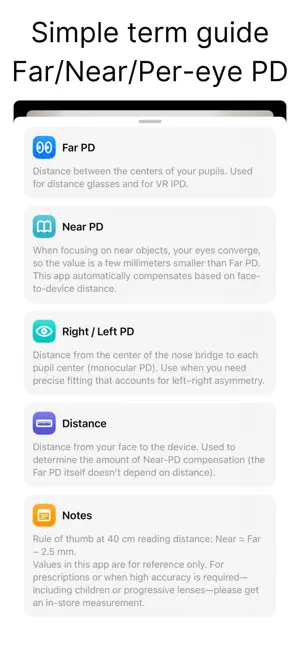
Icon palette
About this app
あなたのPD(瞳孔距離)をiPhoneのカメラでサッと測れるアプリ。 メガネのフィット確認や、VRのIPD設定の目安に。 操作方法は簡単で、顔をカメラの中央に合わせて距離ガイドに従うだけ。 遠用PD・近用PD(自動補正)・右眼PD・左眼PDを数秒で表示します。 ●アプリの機能・特徴 【かんたん計測】 ・顔をフレームに合わせる → 距離ガイドが緑になったら自動測定 ・測定値をワンタップでロック(動いても数値が固定) ・「遠用PD/近用PD(自動)/右眼PD/左眼PD/距離」を同時表示 【見やすいデザイン】 ・瞳孔位置にリングと点を重ねて可視化 ・数値カードは大きく読みやすいフォント ・距離が近すぎ/遠すぎは赤の警告、適正距離は緑でお知らせ 【計測結果の出力機能】 ・画面をそのまま画像として共有(測定カードつき) 【プライバシー】 ・アカウント登録なし/すぐ使えます ・端末上でリアルタイム処理。画像や測定値を外部へ送信しません 【想定シーン】 ・オンラインでメガネフレーム選びの目安に ・VRヘッドセットのIPD設定の参考に ・左右差…
App details
What you can learn from PDメーター - 瞳孔間距離の計測
Every shipping app on the App Store has gone through the same decisions you're working through right now: which screenshot goes first, what caption sits over it, which device frame to show, what color the background should be. The 2 screenshots above are PDメーター - 瞳孔間距離の計測's answers to those questions — they're public, they're real, and they made it through Apple's review.
Notice the first screenshot in particular. It's the one users see in search results and on the product page, and it's where most apps spend their best caption and tightest design. Look at the proportion of background to phone, where the text sits, what one thing the image is trying to communicate.
Want to see how other Reference apps approach the same problem? Browse more Reference apps in the showcase.
Take what works into your own screenshots
Open LaunchShots and design your App Store & Google Play screenshots — pick a device frame, drop captions, ship in minutes. Free, in your browser.
Open the screenshot editor →