Chart position — tracked daily by LaunchShots
Screenshot changes — detected by LaunchShots
Screenshot style breakdown
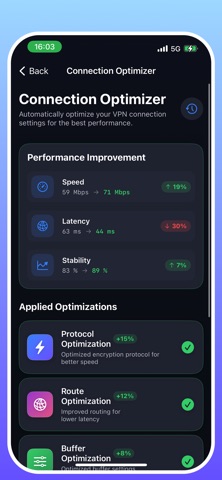
Sampled from 6 of VPN - безопасный ВПН's App Store screenshots — background, accent and theme, measured by LaunchShots (not something Apple publishes).
#9CD4FC bg
#89BADD
#6454FC accent
#111111 text
Screenshots



Icon palette
About this app
Secure VPN - Быстрый, Безопасный, Приватный Защитите свою онлайн-приватность с Secure VPN, премиальным VPN-сервисом, который обеспечивает безопасные, быстрые и надежные интернет-соединения. Шифрование военного уровня гарантирует конфиденциальность ваших данных, а наша глобальная сеть серверов обеспечивает молниеносную скорость. КЛЮЧЕВЫЕ ВОЗМОЖНОСТИ: Продвинутое Шифрование Протоколы шифрования военного уровня защищают весь ваш интернет-трафик от хакеров и слежки. Высокоскоростные Соединения Оптимизированные серверы обеспечивают минимальную задержку и максимальную производительность для стриминга, просмотра и многого другого. Глобальная Сеть Серверов Получайте доступ к контенту из любой точки мира с серверами, расположенными по всему миру. Функции Безопасности • Защита от утечки DNS • Сканирование угроз безопасности • Диагностика сети • Оптимизация соединения Умное Управление • Авт…
App details
What you can learn from VPN - безопасный ВПН
Every shipping app on the App Store has gone through the same decisions you're working through right now: which screenshot goes first, what caption sits over it, which device frame to show, what color the background should be. The 10 screenshots above are VPN - безопасный ВПН's answers to those questions — they're public, they're real, and they made it through Apple's review.
What the numbers say: VPN - безопасный ВПН runs a light set with one background colour (#9CD4FC) carried across every screenshot — the listing reads as a single poster when the shots sit side by side in search results. The accent colour we picked up, #6454FC, is the one to reuse for badges, arrows and highlighted words if you borrow this look. Hit Use this style to open the editor with these exact colours and drop your own screenshot in.
Notice the first screenshot in particular. It's the one users see in search results and on the product page, and it's where most apps spend their best caption and tightest design. Look at the proportion of background to phone, where the text sits, what one thing the image is trying to communicate.
Want to see how other Productivity apps approach the same problem? Browse more Productivity apps in the showcase.
Take what works into your own screenshots
Open LaunchShots and design your App Store & Google Play screenshots — pick a device frame, drop captions, ship in minutes. Free, in your browser.
Open the screenshot editor →Apps with a similar look
Closest background + accent colours among the listings we've analysed — useful when you want to see the same palette handled by a different team.